WiiM groups question

howard

New member
Joined
Dec 16, 2025
Messages
2
Hi there,

Long time WiiM Pro user, and I’ve just bought some WiiM Minis to replace Chromecast Audios on my whole home audio setup.

Just a quick question regarding groups… is there a way to set them up without a “master” device? Currently if I stream from Spotify just to the single device I set up as the master for the group, it plays out of everything.

I’m hoping there’s a way around this and I can set up groups like I had in Google Home.

Thanks in advance :)
 
You could have as many groups as you have WiiM devices, the only difference being which one is the group leader.

But I'm not sure I even fully understand the issue.
 
Welcome.

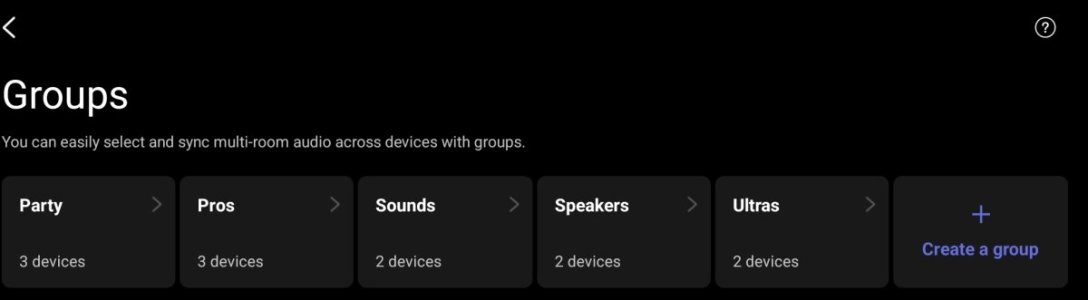
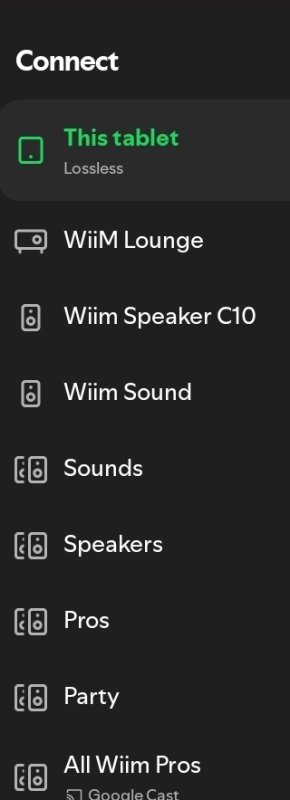
If you have set up persistent groups then you should be able to choose either each individual device or a named group.
If you have just linked them as a one off (using the link icon on the devices screen or from the now playing screen) then all will play when you choose the leader.
 
Welcome.

If you have set up persistent groups then you should be able to choose either each individual device or a named group.
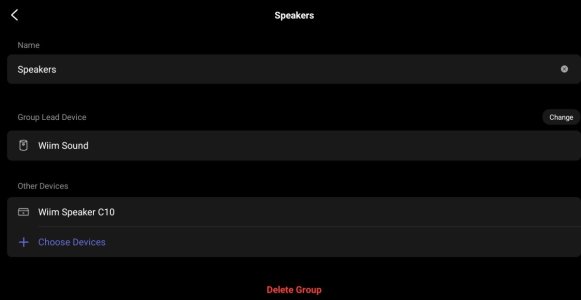
Thanks. I can’t work out how to set up persistent groups without selecting a lead device. I want to be able to send music to each device individually OR to my group containing all of them. Hope this makes sense.
 
From within Spotify you should be able to see each individual WiiM device plus any group you set up in the WiiM Home App. If you stream to the group, it doesn't matter which device is the leader.
 
Thanks. I can’t work out how to set up persistent groups without selecting a lead device.
That's not possible yet.


I want to be able to send music to each device individually OR to my group containing all of them. Hope this makes sense.
To play music across in a group, use persistent groups. To play only on the master device, you must ungroup. (As @harkpabst mentioned, for Spotify, select the device you want to connect to.)

Playing music on any follower device other than the master device will automatically ungroup the devices. In your case, setting another device as the master might resolve the issue. (Depending on the source you're using.)
 
Back
Top