View attachment 33577
From Fiio User Manual
AM(Oversampling settings):The default option is OS and over sampling is on. When external audio datas transform to the K11 R2R, it will be oversampled and converted to a 384k sampling rate (in simple word: upscaling). Then the data will be sent to the R2R module for decoding. The purpose of oversampling is to change the distribution of quantization noise and improve the SNR.
The sampling rate displayed on the K11 R2R is still the original sampling rate but not 384k.
When the SAM option is set to NOS, oversampling is off. The audio data will be decoded and processed in its original sampling to present the original sound experience.
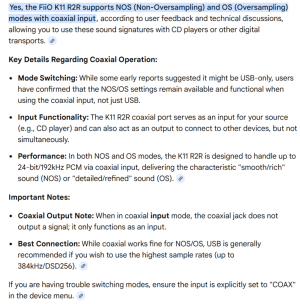
It doesn't say it's only available via USB
The thing is different for Warmer :
Based on recent reviews, the
FiiO WARMER R2R DAC/Tube Buffer has specific limitations regarding NOS (Non-Oversampling) and OS (Oversampling) modes when using the Coaxial input.
- Coaxial/Optical Input Limitation: The optical and coaxial inputs on the FiiO WARMER R2R operate only in NOS mode.
- USB Requirement for Switching: If you want to use the OS (Oversampling) mode, you must connect the device via USB.
- Reasoning: The oversampling mathematical processing, which drives the OS mode, likely runs on the USB receiver chip rather than the S/PDIF (Coaxial/Optical) path.
While the physical switch on the back allows toggling, it will not change the sound signature from NOS to OS when using a coaxial source.
- Coaxial Input: Functions in NOS mode (more fluid/relaxed sound).
- USB Input: Supports switching between NOS and OS modes (OS offers a sharper, faster vibe).
On my side I have :
K11r2r > Coaxial
Warmer > USB
That's all



 At least not yet. USB A is not officially deprecated in any way.