Multiple resolutions not recognized or transferred to QUAD CDP2

Eddiefreddie

Member
Joined
Apr 13, 2025
Messages
17
Hi,

Although it is not of major concern, it seems the WIIM Pro does not transfer different resolution of streams via Toslink to my Preamp/Cd Player Quad CDP2.
It just sticks to 44.1/16 for all songs, although I have audiosettings to 96/24 as the max. There is an option to force that setting, but WIIM mention that all fies will be upsampled. If I play a stream in Tidal it clearly shows 24/96 in the WIIM player, however that is not transported to the Quad.
If I force the setting to fixed output, the Quad sync in with without problem (This is shown on the display of the Quad)
When I use a NAS, the Quad happily to any resolution Flac it is fed.

Is there anything I miss or maybe could change?

Best Eddie
 
Are you using Tidal Connect (from which device) or the Tidal integration in the WiiM Home App?

The WiiM Pro should be able to easily output music at 24 bit 96 kHz.
 
Hi,

Although it is not of major concern, it seems the WIIM Pro does not transfer different resolution of streams via Toslink to my Preamp/Cd Player Quad CDP2.
It just sticks to 44.1/16 for all songs, although I have audiosettings to 96/24 as the max. There is an option to force that setting, but WIIM mention that all fies will be upsampled. If I play a stream in Tidal it clearly shows 24/96 in the WIIM player, however that is not transported to the Quad.
If I force the setting to fixed output, the Quad sync in with without problem (This is shown on the display of the Quad)
When I use a NAS, the Quad happily to any resolution Flac it is fed.

Is there anything I miss or maybe could change?

Best Eddie
Hi

When you run the audio test in the Optical Output Resolution section of the WiiM app, does it display 96 on Quad?

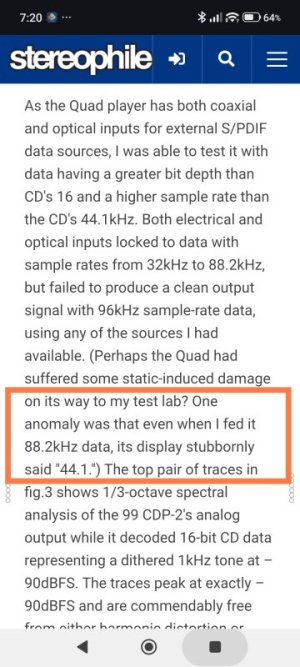
I saw this mentioned in a review I read, so I was wondering.

1752.jpg

 
Hi, thanks for all your respons! And I have some outcome..:)

@Mr.Ee, The setting in the Tidal app in WIIM is set to Max. So it should work, however I use my Tidal on the (android) phone to select the songs. I was not aware that using the Tidal Connect or Tidal integrated would be an issue.
After testing I can confirm that if I select songs in Tidal within the WIIM app, It actually works as expected! That is a bit of mystery to me, but maybe it is Tidal related? I thought that the stream would be handed over to WIIM and your phone would barely act as an remote.

@Wimmer, The Quad syncs perfectly on 96khz without any issues if I force this in the WIIM app.

I guess I have to get used to use the WIIM app for Tidal.

Best regards,
Eddie (it is)
 
Mr Ee, Yes, I had this setting s you mentioned.
Did some more tests: Definitely the resolution only changes when I play from the Native WIIM/Tidal app. When I run the Tidal trough my phone connected to the WIIM, it does not work. It plays, it shows the resolution (IN WIIM), but output is then not streaming in that resolution.
VTuner also changes resolution like it should, but that is only Native WIIM.
 
Mr Ee, Yes, I had this setting s you mentioned.
Did some more tests: Definitely the resolution only changes when I play from the Native WIIM/Tidal app. When I run the Tidal trough my phone connected to the WIIM, it does not work. It plays, it shows the resolution (IN WIIM), but output is then not streaming in that resolution.
VTuner also changes resolution like it should, but that is only Native WIIM.
Can you post a screenshot of the Tidal app showing the device selection after tapping the speaker icon?

Tidal should be using Tidal Connect, but it might fall back to Google Cast if something goes wrong. Having said that, Google Cast is generally capable of 24 but 96 kHz, but it might not work in certain combinations.

I thought that the stream would be handed over to WIIM and your phone would barely act as an remote.
That's correct. But it is correct for Tidal Connect and for Google Cast.

Some prefer the convenience of the Tidal integration into the WiiM Home App. Many prefer the more feature rich UI of the native Tidal app. The maximum resolution should be identical in both cases, so we have to find the root problem.
 
Last edited:
Okay hopefully I can post here the stroy in sequence of events.
This is all done by using the Android Tidal app to select random music from a Master playlist. I played in order right after each other.
And after doing this from the WIIM Tidal app, I get the same results.. ! So something is not going completley right..:)

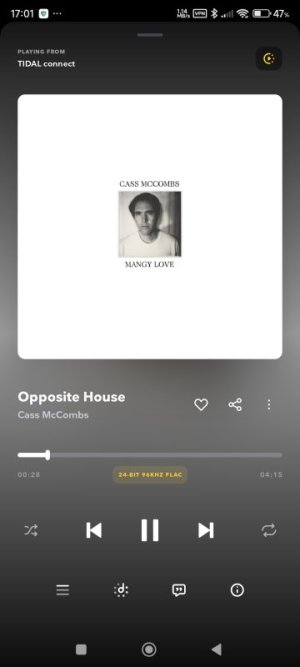
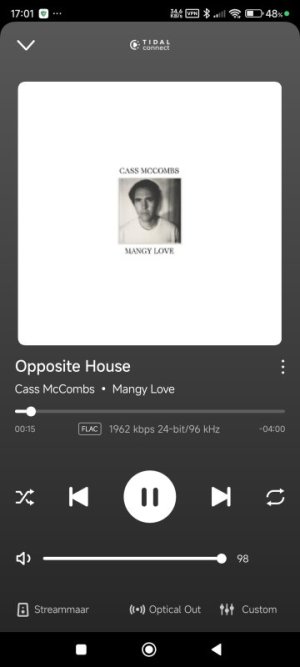
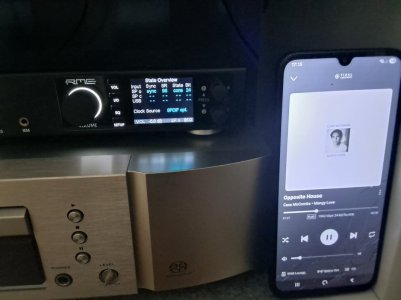
Cass McCombs
In Tidal app 24/96
Screenshot_2026-01-02-17-01-50-356_com.aspiro.tidal.jpg
In WIIM Tidal app 24/96
Screenshot_2026-01-02-17-01-37-184_com.linkplay.wiimhome.jpg
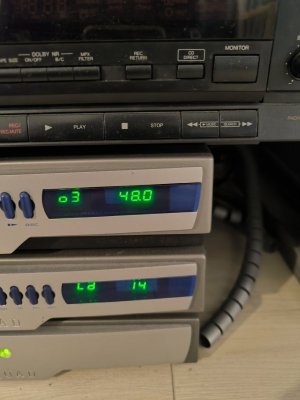
on Quad 48khz
IMG_20260102_170122.jpg
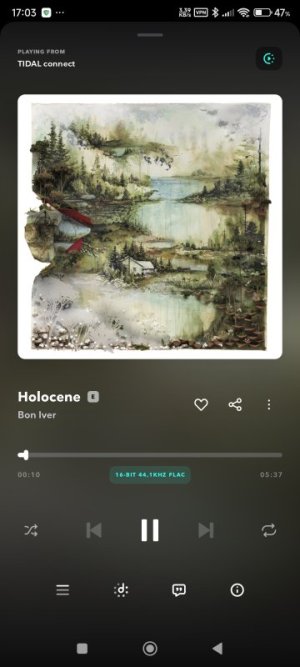
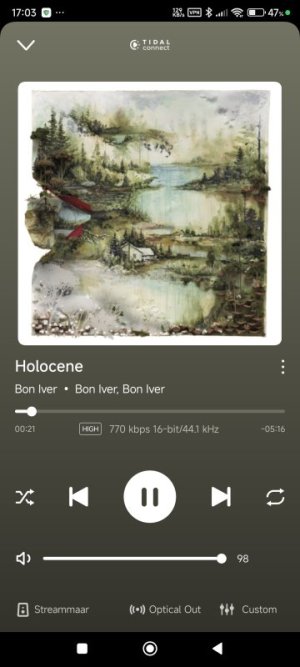
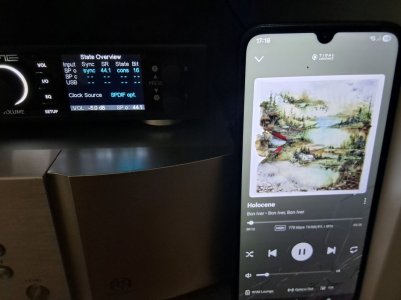
Bon IverIn Tidal app 16/44,1
Screenshot_2026-01-02-17-03-20-561_com.aspiro.tidal.jpg
In WIIM Tidal app 16/44,1
Screenshot_2026-01-02-17-03-31-892_com.linkplay.wiimhome.jpg
on Quad 44,1 khz
IMG_20260102_170309.jpg
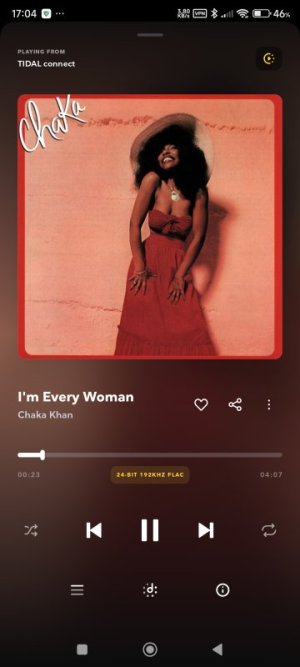
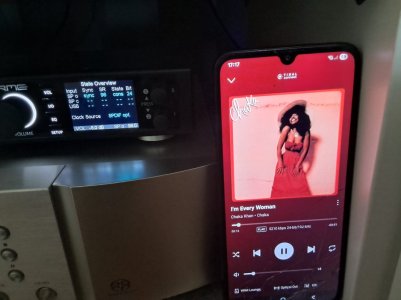
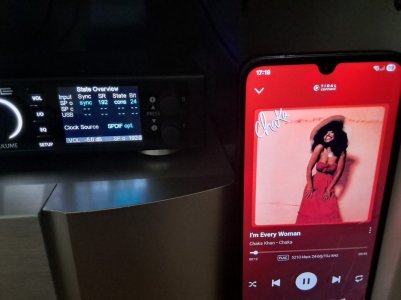
Chaka KhanIn Tidal app 24/192
Screenshot_2026-01-02-17-04-27-855_com.aspiro.tidal.jpg
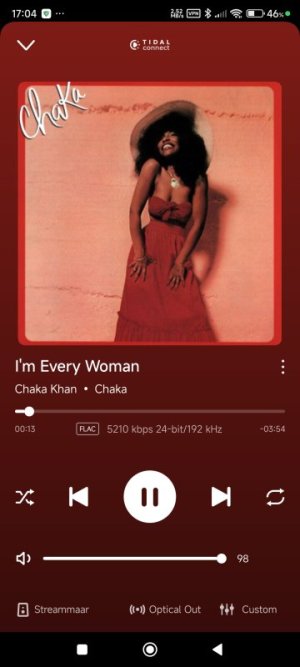
In WIIM Tidal app 24/192
Screenshot_2026-01-02-17-04-19-088_com.linkplay.wiimhome.jpg
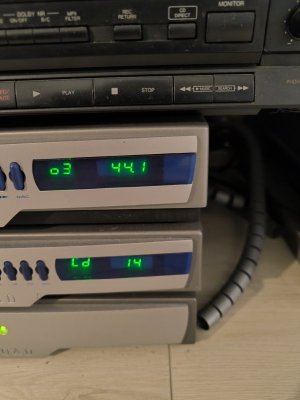
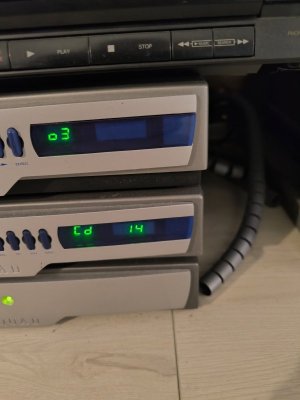
on quad No change ! (44,1khz)
IMG_20260102_170406.jpg
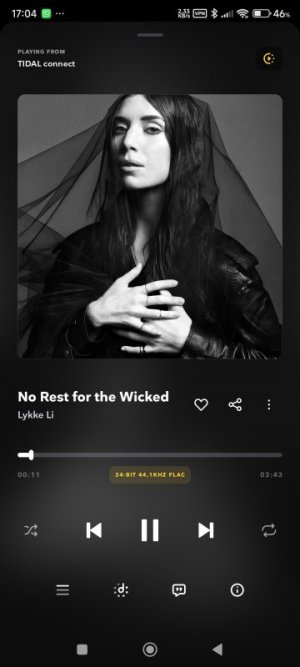
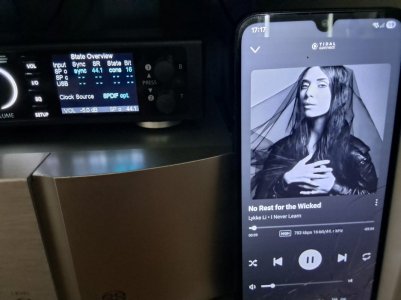
Lykki LiIn Tidal app 24/44,1
Screenshot_2026-01-02-17-04-57-641_com.aspiro.tidal.jpg
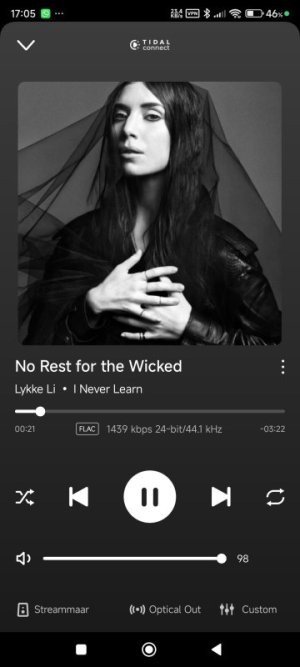
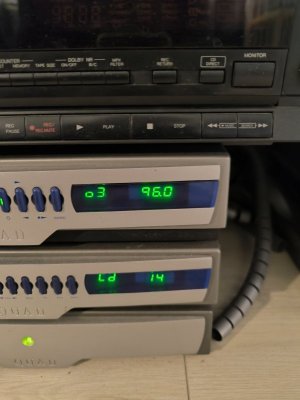
In WIIM Tidal app 24/44,1Screenshot_2026-01-02-17-05-08-439_com.linkplay.wiimhome.jpgon Quad 96khz (!)

IMG_20260102_170446.jpg
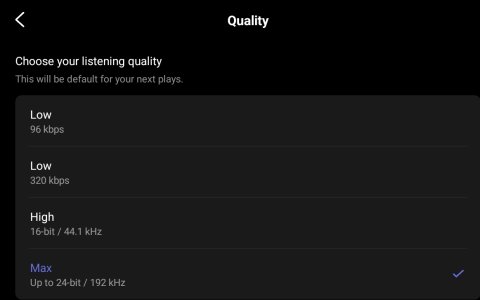
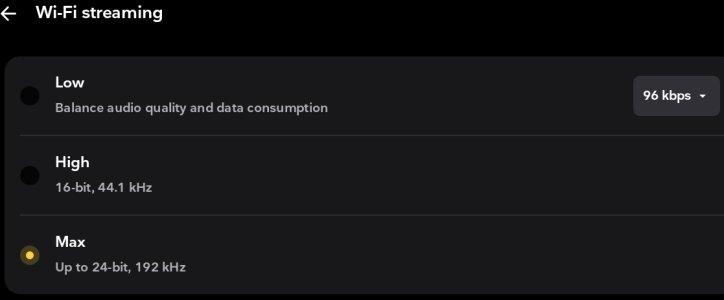
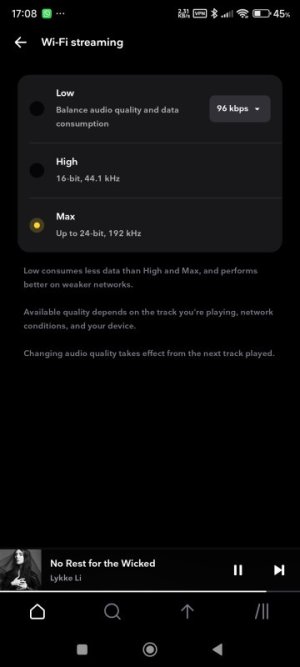
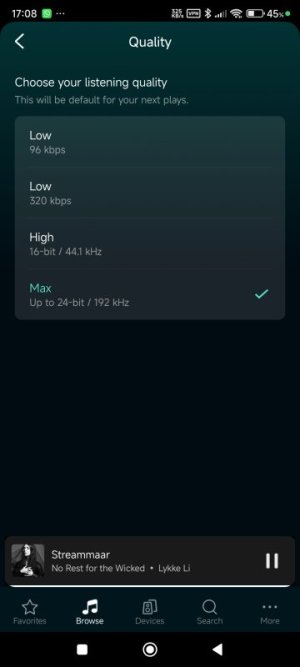
Settings in both appsMAX 24/192Screenshot_2026-01-02-17-08-04-062_com.aspiro.tidal.jpgScreenshot_2026-01-02-17-08-28-548_com.linkplay.wiimhome.jpg
 
So Lykke Li which is 24/44.1 on both tidal and wiim shows as 96khz on the quad? Without Fixed Output enabled?
I'll try all those songs using tidal connect to a Pro with max (not fixed) set to 96khz, but probably later today.

But before then, try unplugging the pro from the power for a couple of minutes. Cures all sorts of ailments!
 
Last edited:
5 pictures here, all showing exactly what I'd expect using Tidal Connect.
Each picture shows the RME dac stream info and the Wiim app now playing screen. I haven't included Tidal scrennshots, but the bit/sample match what wiim shows.

First 4 are with Pro set to 24/96khz max for optical, last one is set to 24/192 just to show that both the previous max 96 setting restriction and 192 both work..
Summary is that I really can't explain your screenshots.
Only way it would make sense to me is if your Pro was in a wiim group, as that would cap the output at 48khz, but your wiim screenshot implies it's a single device.


1000000882.jpg


1000000883.jpg


1000000884.jpg


1000000885.jpg


1000000886.jpg
 
Okay hopefully I can post here the stroy in sequence of events.
This is all done by using the Android Tidal app to select random music from a Master playlist. I played in order right after each other.
And after doing this from the WIIM Tidal app, I get the same results.. ! So something is not going completley right..:)

Cass McCombsIn Tidal app 24/96
View attachment 31798
In WIIM Tidal app 24/96
View attachment 31799
on Quad 48khz
View attachment 31800
Bon IverIn Tidal app 16/44,1
View attachment 31801
In WIIM Tidal app 16/44,1
View attachment 31802
on Quad 44,1 khz
View attachment 31803
Chaka KhanIn Tidal app 24/192
View attachment 31804
In WIIM Tidal app 24/192
View attachment 31805
on quad No change ! (44,1khz)
View attachment 31806
Lykki LiIn Tidal app 24/44,1
View attachment 31807
In WIIM Tidal app 24/44,1View attachment 31808on Quad 96khz (!)

View attachment 31809
Settings in both appsMAX 24/192View attachment 31796View attachment 31797

The Quad CDP2 appears to have a coaxial input. Would using the coaxial input yield the same result?

Also, a VPN icon is displayed on your phone's status bar. Could the VPN be affecting the playback resolution of TIDAL? (I don't think it's related, but I'm asking since I don't know the cause.)
 
Interesting... I unplugged the WIIM and then let it there for 30 minutes. Tested again and still with same results.
I guess it then must be the Quad that is not following or is critical.
Edit: yes my WIMM is standalone

The VPN is adguard, but it does not block anything else then ads..:) Tidal and WIIM are white listed.
I will try to use the other digital output, although in my experience Toslink is better in critical conncetions.
Let you know tomorrow, now on the road!
 
Hu,

So I have switched output to COAX (with same settings and no fixed output) and it is getting even more confusing.
Unfortunately impossible to put into photo's. Following the same procedure (selecting songs on Tidal app on phone) I see on the WIIM app it does not lock on the initial offered resolution, but changes to another with half of the songs. There is no consistenvy though. Some lock into the highest available, others switch from 96 to 44,1 within seconds or from 192 to 88,2. Most 48 and 44.1 khz stay locked.
Interesteingly, after the switch, the Quad shows no adjustment of the resolution....

Although I have no idea how the process is working, it's seems that WIIM hardware decides to change resolution, but on what grounds? Is it a matter of timing reading the metadata on both devices? I now think Tidal can be ruled out. WIIM seems to decide what the best resolution is I guess. As I know the Quad eats everything from NAS without any problem, it seems something that it is 'decided' in the WIIM Pro software.
 
Unfortunately impossible to put into photo's. Following the same procedure (selecting songs on Tidal app on phone) I see on the WIIM app it does not lock on the initial offered resolution, but changes to another with half of the songs. There is no consistenvy though. Some lock into the highest available, others switch from 96 to 44,1 within seconds or from 192 to 88,2. Most 48 and 44.1 khz stay locked.
Is the sample rate switching mid-song happening on the WiiM app's playback screen? I recommend screen recording it and posting it here, then submitting a ticket through the WiiM app's feedback section.
 
Back
Top