Why is this happening?

Alexandr_2023

Member
Joined
Apr 15, 2023
Messages
73
Location
Russia, Novosibirsk
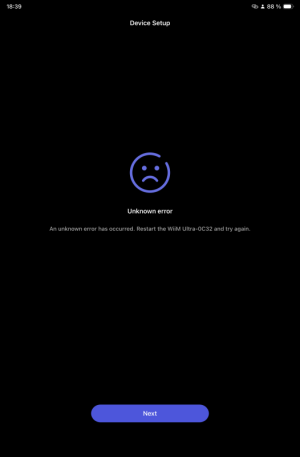
My Wiim Ultra won't update. It tries to update for 5 minutes, then gives an error. I bought the Ultra a few days ago, and the same thing happened the first time I updated, but it finally updated last night. Now it hasn't updated for several days!
@WiiM Support , answer me!
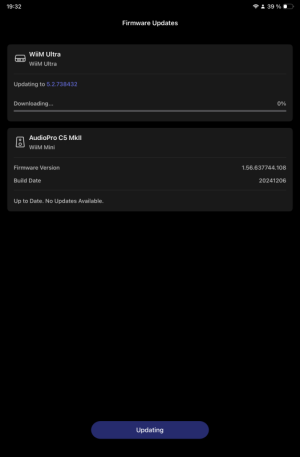
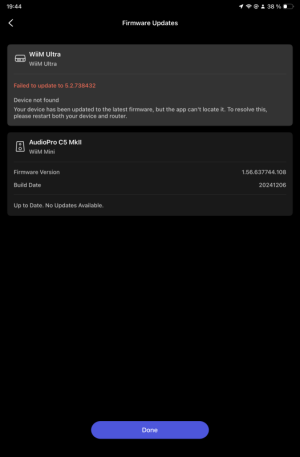
IMG_1520.pngIMG_1521.png
 
My Wiim Ultra won't update. It tries to update for 5 minutes, then gives an error. I bought the Ultra a few days ago, and the same thing happened the first time I updated, but it finally updated last night. Now it hasn't updated for several days!

View attachment 31152View attachment 31153
It looks like you may have some local network issues. Do you have more than one logical network? Are the device running WiiM Home App always on the same network (WiFi) as the WiiM?
 
It looks like you may have some local network issues. Do you have more than one logical network? Are the device running WiiM Home App always on the same network (WiFi) as the WiiM?
I have 2 networks, 2.4GHz and 5GHz, but my Ultra and the iPad I control it from are on the same 5GHz network. maybe try connecting to a 2.4 GHz network?
 
I rebooted the router, reset the Ultra to factory settings, and connected to the 2.4 GHz network. It was all useless. It recognized the update, but it returned an error! I'm not sure what the problem is. I had a Wiim Pro Plus, and everything worked perfectly. Can anyone tell me what the problem is?
 
Last edited:
It was all useless.
I don't know if this could possibly help you, but it might be worth a read to see if it would help to complete the update and then go back to your router/ usual connection.
 
I don't know if this could possibly help you, but it might be worth a read to see if it would help to complete the update and then go back to your router/ usual connection.
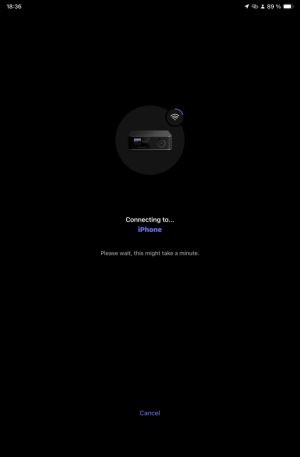
I shared WiFi from my iPhone 13. I launched Wiim Home on my iPad and connected the Ultra to the iPhone. I tried updating on startup, but the same problem persists. It won't update. Does this mean the problem isn't with my home network?
IMG_1524.png
IMG_1523.png
 
Does this mean the problem isn't with my home network?
The problem is surely "network related" in some way. The question is what exactly is causing it.

I shared WiFi from my iPhone 13. I launched Wiim Home on my iPad and connected the Ultra to the iPhone. I tried updating on startup, but the same problem persists.
At least the error message is a different one, if this is a good thing is another question.

If power cycling the Ultra does not help (removing the power cord for a couple of minutes) it may be time to send Feedback to WiiM through the WiiM Home App (tab "More...").
 
Last edited:
Have you unplugged (no power at all) the ultra for a couple of minutes yet?
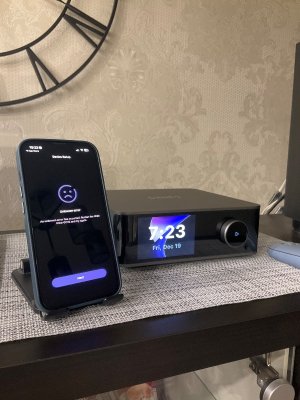
I just unplugged my phone for 5 minutes, then reset it to factory settings. I tried updating, but the same problem persists.
Have you unplugged (no power at all) the ultra for a couple of minutes yet?
I just unplugged my phone for 5 minutes, then reset it to factory settings. I tried updating, but the same problem persists.
 

Attachments

  • IMG_1526.jpeg
    IMG_1526.jpeg
    178.6 KB · Views: 11
I just unplugged my phone for 5 minutes, then reset it to factory settings. I tried updating, but the same problem persists.

I just unplugged my phone for 5 minutes, then reset it to factory settings. I tried updating, but the same problem persists.
@Mr Ee and I had asked you to remove your WiiM Ultra from the power grid for a couple of minutes, not to reset your iPhone ...
 
My Wiim Ultra won't update. It tries to update for 5 minutes, then gives an error. I bought the Ultra a few days ago, and the same thing happened the first time I updated, but it finally updated last night. Now it hasn't updated for several days!
@WiiM Support , answer me!

View attachment 31152View attachment 31153
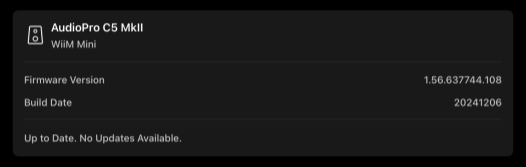
Upon closer inspection, it seems your WiiM Mini hasn't been updated in quite some time either.

Is the WiiM app the latest version?
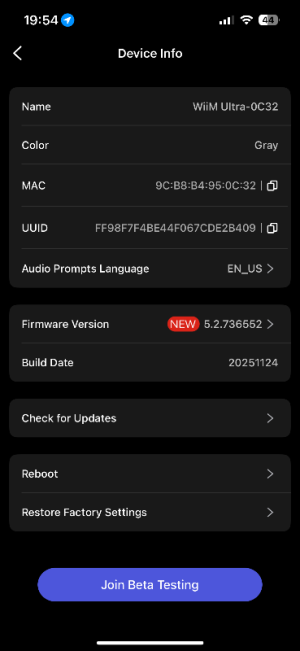
What is the current Ultra firmware version number?

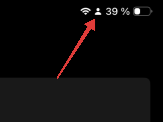
While it's unlikely to resolve the issue, you could also try rebooting your phone or performing a network reset. Also, is the human-shaped icon displayed in your phone's status bar the Focus Mode? Just to be safe, try turning this off.
 
Upon closer inspection, it seems your WiiM Mini hasn't been updated in quite some time either.

Is the WiiM app the latest version?
What is the current Ultra firmware version number?

While it's unlikely to resolve the issue, you could also try rebooting your phone or performing a network reset. Also, is the human-shaped icon displayed in your phone's status bar the Focus Mode? Just to be safe, try turning this off.
Wiim Home is the latest version. The firmware seems to be second to last. What's the icon on the phone in focus mode? What are you talking about?
 

Attachments

  • IMG_0868.png
    IMG_0868.png
    40.2 KB · Views: 9
Wiim Home is the latest version. The firmware seems to be second to last. What's the icon on the phone in focus mode? What are you talking about?
I asked about this icon. (I don't have an iOS device, so I'm not really sure what this means.)
1628.png

Your WiiM Mini hasn't been updated since December 2024.
1630.png

In any case, this appears to be an issue requiring assistance from @WiiM Support.
 
I asked about this icon. (I don't have an iOS device, so I'm not really sure what this means.)
View attachment 31215

Your WiiM Mini hasn't been updated since December 2024.
View attachment 31216

In any case, this appears to be an issue requiring assistance from @WiiM Support.

It’s an audio pro c5 - note the suffix after the version number. Any firmware queries should be addressed to audio pro I guess. I don’t think there was a WiiM edition of anything other than the a10 or c10 models.
 
It’s an audio pro c5 - note the suffix after the version number. Any firmware queries should be addressed to audio pro I guess. I don’t think there was a WiiM edition of anything other than the a10 or c10 models.
Ah, you're absolutely right. Thanks for the correction. 🙂
I thought the OP had changed the Mini's name to C5. (Why does it say WiiM Mini? 🤔)
 
Ah, you're absolutely right. Thanks for the correction. 🙂
I thought the OP had changed the Mini's name to C5. (Why does it say WiiM Mini? 🤔)
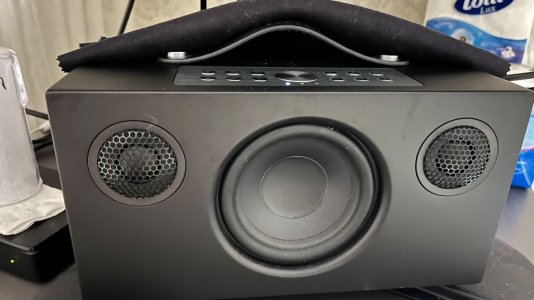
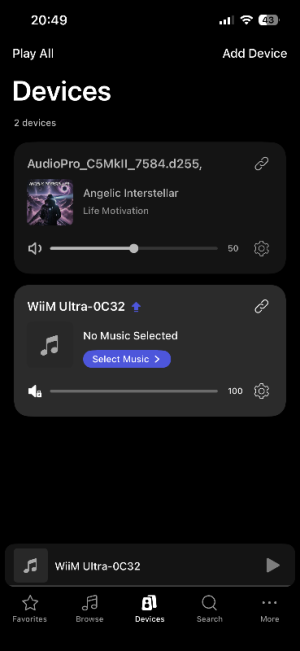
I don't know why it says "mini" there. I have two network devices: the Wiim Ultra and the Audio Pro C5 mk II. Perhaps there's some kind of conflict between these devices!
 

Attachments

  • IMG_0872.jpeg
    IMG_0872.jpeg
    224.1 KB · Views: 6
  • IMG_0873.png
    IMG_0873.png
    49.5 KB · Views: 7
Back
Top