WiiM ease of use for music collection?

Pat_in_VA

New member
Joined
Jan 25, 2026
Messages
2
Hi Community!,
I want to upgrade my audio listening setup and am considering the WiiM ecosystem. I'm almost exclusively using my local music collection (flac) kept on my Synology NAS or (duplicated) on my smart phone. Occasionally I use Pandora, but this is rare, such as for Christmas tunes on the holidays.

I know that WiiM devices support connection to NAS devices via SMB shares or DLNA and to USB drives directly connected (to the Wiim device). For any of those connection options:

1) does with WiiM app always allow browsing my music collection by the existing filesystem structure (i.e. not using any tagging)?
2) Will it let me add any combination of folders, individual files, or playlists to a queue?
3) Will it let me turn that queue into a playlist if I wish? Create a playlist another way?
4) Do any WiiM devices support a "dumb" bluetooth connection to my phone, whereby any audio from my phone is pushed to some pre-established configuration of WiiM devices? For example, someone not having the WiiM Home App could connect to a WiiM device via common bluetooth connection, then play music via their phone's "Foldplay" app and that music gets shoved to every WiiM device that's configured as part of the "dumb bluetooth group".

My current setup is a 3rd gen Chromecast plugged in to a 5.1 surround avr, which I use to "cast" via the Synology DS Audio app. The Synology app is ok, but I find that using the NAS (spinning hard drives) sometimes requires multiples app start attempts as it can time out while the NAS is still waking up. I have some Fluance bluetooth speakers and love the instantaneous responsiveness when playing from my phone using any app I like. From this experience, I've considered that a NAS as the music source might not be the best choice; perhaps the NAS is better as a locker and I clone the music collection to some USB SSD that is attached to a WiiM device.

Thank you for your input!
Pat
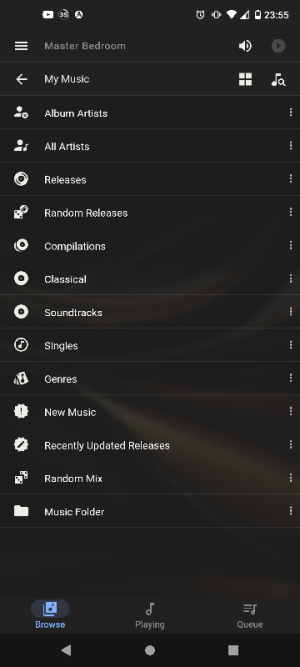
 
My experience with dnla and upnp is a bad one , the Synology audio server is terrible. If you don't know it creates a very bloaty album art folder easier under each directory.

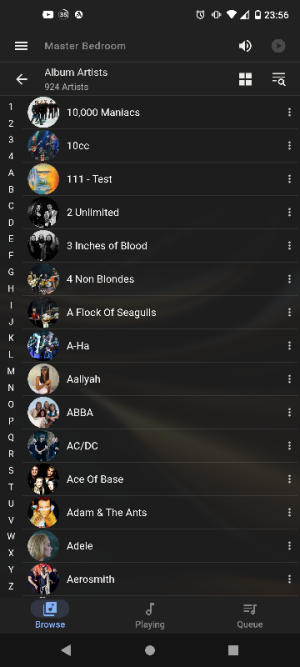
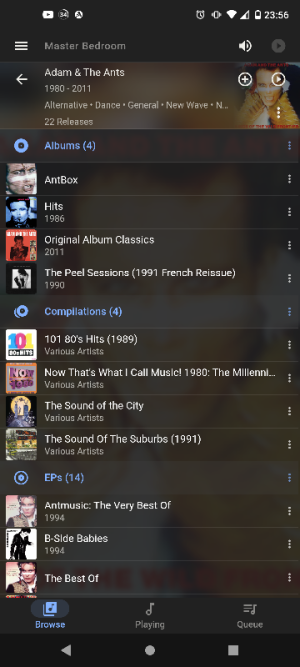
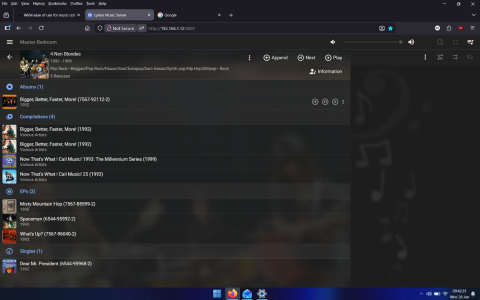
I would suggest ditching upnp altogether and use lms. You can add songs or albums in queue

In that you can browse by tag or by folder

I don't think much of the wiim home app. It's ok for initial device setup and room calibration but I find it pretty bad UI for music navigation
 

Attachments

  • Screenshot_20260127-235547.png
    Screenshot_20260127-235547.png
    68.3 KB · Views: 15
  • Screenshot_20260127-235609.png
    Screenshot_20260127-235609.png
    124.1 KB · Views: 12
  • Screenshot_20260127-235637.png
    Screenshot_20260127-235637.png
    227 KB · Views: 13
Pat,

I think the way for you to look at this is that you are really looking for 2 upgrades here, first for the endpoint/hardware replacement for the chromecast and second for the interface/software for the Synology DS Audio app.

I think the Wiim is a perfect update for the chromecast and will improve your delay issues, improve sound quality and give you additional capabilities like RoomFit, but I the agree with rccarguy, the Wiim app as a interface to play your FLAC files is the weakest part of the Wiim system. It will be better than the Synology app, and it is improving but still… not great.

Also as rccarguy suggests, LMS ( or Lyrion Music Server) is what I would suggest you try for the software interface. It is terrific open source community that have continued to develop the old Squeezebox software. Here are links to their home page and guide for Synolgy NAS installation:

I suggest you first give LMS try, it is free and they have a chromecast plug-in (you will also want the “Material Skin” for the modern interface, “Pyrrha” for Pandora and I suggest the “Music and Artist Information” plug-ins).

I would also recommend upgrade the chromecast to a Wiim, you will get a lot more functionality and better sound, but you may not feel the need since most of your issues seem to be with the music interface.

Good Luck!
 
+1 for LMS for your local music library. I run mine on an old stationary PC that also holds the FLAC files.

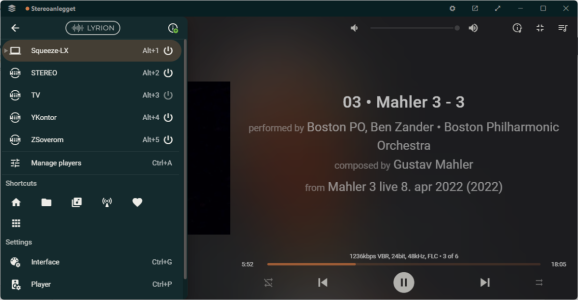
I use the (also free) Squeeze-LX (below) to play/control content on my laptop and my various WiiMs, and the iPeng app for the same from my iPhone and iPad.

1769590598856.png
 
1) does with WiiM app always allow browsing my music collection by the existing filesystem structure (i.e. not using any tagging)?
I don't have an indexing WiiM device, but I've just performed a test using the underlying open source music server and folder browsing is supported over all 3 connection types, in fact, SMB connections only support folder browsing.
When browsing a SMB connection artwork is only available at the track level.

2) Will it let me add any combination of folders, individual files, or playlists to a queue?
The WiiM Home app only allows you to enqueue/play once you're in an object (folder/album/playlist) containing tracks, you can't for example, enqueue an entire album if you've stored tracks in separate disc folders.

3) Will it let me turn that queue into a playlist if I wish? Create a playlist another way?
Playlist management is poor; tracks have to be added individually and it's not possible to save the existing queue to a playlist.

4) Do any WiiM devices support a "dumb" bluetooth connection to my phone, whereby any audio from my phone is pushed to some pre-established configuration of WiiM devices? For example, someone not having the WiiM Home App could connect to a WiiM device via common bluetooth connection, then play music via their phone's "Foldplay" app and that music gets shoved to every WiiM device that's configured as part of the "dumb bluetooth group".
It's not something I've tried but it appears so (from WiiM Pro product page):
WiiM Pro supports multiroom from various audio source inputs, including WiFi, BT, Aux, and SPDIF input, making it versatile with almost every music listening option.

If your primary music source is going to be local content then you'll be better off using the WHA for basic configuration (updates, grouping speakers etc) and a more functional app for control e.g. BubbleUPnP.
 
the Synology audio server is terrible. If you don't know it creates a very bloaty album art folder easier under each directory.
The file size is irrelevant when the NAS has terrabytes of space so I don't see why you keep hammering the point. Running out of space? stick another drive in it, rebuild the array and space becomes available for more bloaty images.
 
I suggest you first give LMS try, it is free and they have a chromecast plug-in (you will also want the “Material Skin” for the modern interface, “Pyrrha” for Pandora and I suggest the “Music and Artist Information” plug-ins).
Does MAI even work when browsing by folder? Lyrion's folder browsing implementation is one of the worst I've seen, but I haven't tried it with MAI.
 
The file size is irrelevant when the NAS has terrabytes of space so I don't see why you keep hammering the point. Running out of space? stick another drive in it, rebuild the array and space becomes available for more bloaty images.

You're ok with it using 20GB-30GB of data? :ROFLMAO: It also took over a day to build the database. .Compared to 3.6GB on the picoreplayer database .
Since you think the file size is irrelevant, then I'll be waiting for you to post me an additional 3.5" drive
 
I use a Synology accessed through WHA in folder order. Playlists are buildable in Synology Audio station and these appear in the playlist menu in WHA. I know it is a simple method but it works for me
 
You're ok with it using 20GB-30GB of data? :ROFLMAO: It also took over a day to build the database. .Compared to 3.6GB on the picoreplayer database .
Since you think the file size is irrelevant, then I'll be waiting for you to post me an additional 3.5" drive

Works for me. If you need a new drive it is because of poor planning on your part so deal with it yourself.
 
Does MAI even work when browsing by folder? Lyrion's folder browsing implementation is one of the worst I've seen, but I haven't tried it with MAI.
MAI works off what is actually playing not how you get there. So yes MAI works with folders.

PS I never browse by folder. Why would you?
 
wasn't the playstation and xbox going to be at the centre of our media world, the wiim to me is another piece of kit vying for that position as a central hub and all these various attempts to attached complex nas, pi and other solutions to it just makes things way too complicated for most users 'imho' .. for me the king of control is my 'windows 11 media pc' so versitile and with infinite options so why not just output the audio to your audible solution of choice .. my wiim amp ultra is a great simple sylish one box solution and i use it within its limitations.
 
wasn't the playstation and xbox going to be at the centre of our media world, the wiim to me is another piece of kit vying for that position as a central hub and all these various attempts to attached complex nas, pi and other solutions to it just makes things way too complicated for most users 'imho' .. for me the king of control is my 'windows 11 media pc' so versitile and with infinite options so why not just output the audio to your audible solution of choice .. my wiim amp ultra is a great simple sylish one box solution and i use it within its limitations.
A very well made point. A lot of people simply complicate something that should be simple enough for everyone to access and it is a point I have also commented on in prior threads. In my case I have a home network which has multiple functions and requires an NAS so putting all my music on it was logical and I can scan all of it by folder and playlist which is about as simple as it gets.
 
You did not read what I wrote and I have no idea of what the image is all about. I want simple, I've got it and your views on my use of an NAS are a waste of your time and effort because I have ZERO intention of doing anything else. I understand that may not sit well with you but it is what it is so let's end it there.
 
MAI works off what is actually playing not how you get there. So yes MAI works with folders.
It's also available when browsing via "Information", but that's not visible during folder browsing. I've just tested and it does still appear during playback, though I havent tested without tags (as the OP stated).

PS I never browse by folder. Why would you?
Only if I had to use a particular server e.g. USB on WiiM.
 
MAI works off what is actually playing not how you get there. So yes MAI works with folders.

PS I never browse by folder. Why would you?

It's useful if you add a album but haven't done a rescan yet. But yeah I rarely ever use it. Or you use it when adding a album to a USB stick.
You did not read what I wrote and I have no idea of what the image is all about. I want simple, I've got it and your views on my use of an NAS are a waste of your time and effort because I have ZERO intention of doing anything else. I understand that may not sit well with you but it is what it is so let's end it there.

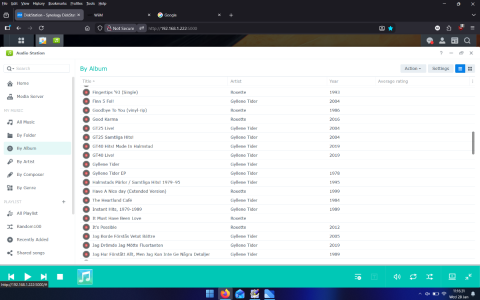
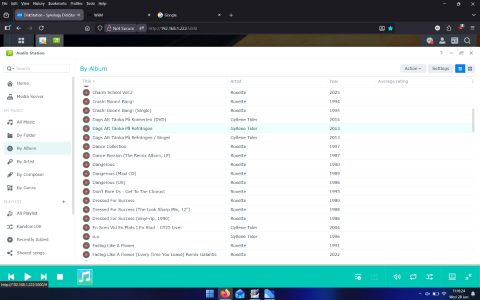
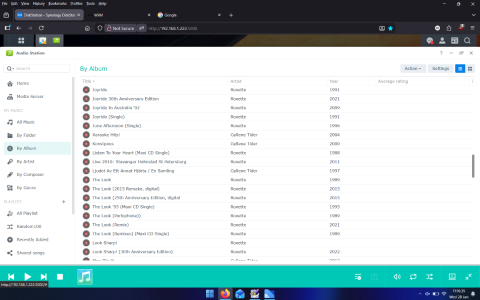
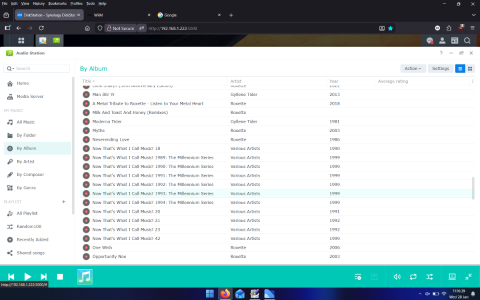
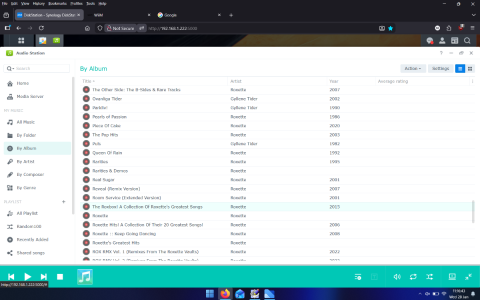
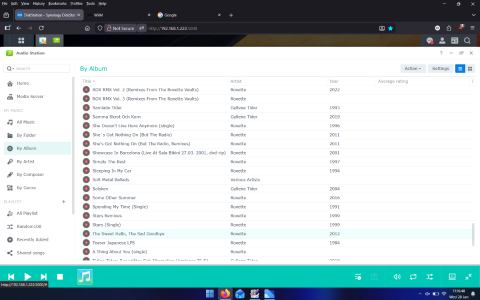
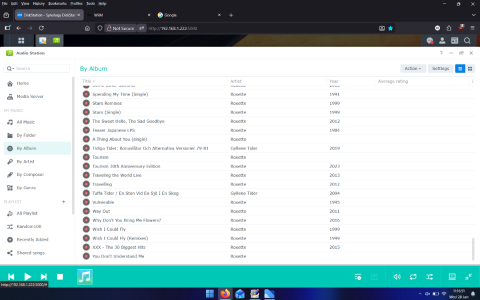
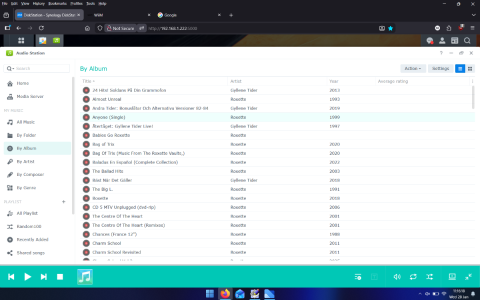
Enjoy your clunky UI then, and LMS is simple, it seperates albums, live, compilation, singles, EP....audio station does not. Audio Station looks a complete mess with a artists that has tons of albums, singles, eps.

WHA app is horrid as well, the layout is awful, it requires extra taps to go to where I want, requires unnecessary scrolling

I for one wouldn't be using a audio streamer with the POS UPNP services like Audio station, minimserver (I have it just as a fall back)

Yes you don't know what the image is about, you prove my point haha :ROFLMAO:
 
I'm installing Media Server to show you what a single artist looks like ok here is what it looks like in Audio station using Synology media server. Just added files from \various so now even more of a UI mess :D
 

Attachments

  • Screenshot (101).png
    Screenshot (101).png
    249.8 KB · Views: 11
  • Screenshot (103).png
    Screenshot (103).png
    250.7 KB · Views: 8
  • Screenshot (102).png
    Screenshot (102).png
    255.3 KB · Views: 7
  • Screenshot (104).png
    Screenshot (104).png
    252.1 KB · Views: 7
  • Screenshot (105).png
    Screenshot (105).png
    271.1 KB · Views: 6
  • Screenshot (106).png
    Screenshot (106).png
    247.8 KB · Views: 5
  • Screenshot (107).png
    Screenshot (107).png
    255.9 KB · Views: 4
  • Screenshot (108).png
    Screenshot (108).png
    250.2 KB · Views: 4
Last edited:
Back
Top