


Welcome to your monthly roundup for February 2026! This month brought a major firmware update for the WiiM Ultra packed with new display features, a new WiiM Home App release with beta surround sound setup tools, a firmware refresh for the WiiM Sound, and a rich set of new Help Center articles covering headphone amp use, subwoofer setup, and surround sound configuration.
 WiiM Sound: Rolling Stone Recommended
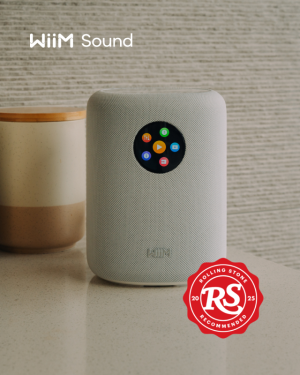
The WiiM Sound has been recognized by Rolling Stone as a standout smart speaker; earning a spot in their RS Recommends series.
Their reviewer praised the WiiM Sound's excellent audio quality (dual tweeters + 4" woofer delivering crisp, balanced sound), its handy circular touchscreen, and how seamlessly it integrates with other WiiM devices in a multiroom setup. The review highlighted that easy setup and the room-tuning feature make it an accessible yet high-performing choice at its price point.
 Read the full Rolling Stone review
 Immersive Cover & Per-Input Now Playing
February brought two headline display upgrades to the WiiM Ultra (firmware v5.2.807149, Feb 9, 2026) and the WiiM Amp Ultra (via the WiiM Home App):View attachment Ultra.mp4
Per-Input Now Playing
Customize the Now Playing screen for each input source independently. Whether you're playing vinyl, streaming Qobuz, or watching TV over HDMI ARC, the screen can now show a tailored layout for each source.New Cover Layouts (Immersive Cover)
Larger album-art views make the playback screen more visual and immersive, with Home and Music Source icons hidden by default. We've published a dedicated article to help you explore all five available styles:- Large Cover – Full album art, glanceable at a distance. Best for living rooms and everyday listening.
- Classic – Traditional Now Playing with artwork, track info, and controls always visible.
- VU Meter – Animated needle showing track dynamics. Perfect for jazz, rock, and dynamic music.
- Spectrum – Real-time frequency bars for a more active, expressive screen feel.
- Minimalism – Clean and distraction-free. Ideal for background listening or work sessions.
Learn how to set it up: Elevate Your Listening Experience with WiiM's Immersive Cover WiiM Home App Updates
WiiM Home App v3.5.1 – Feb 12, 2026
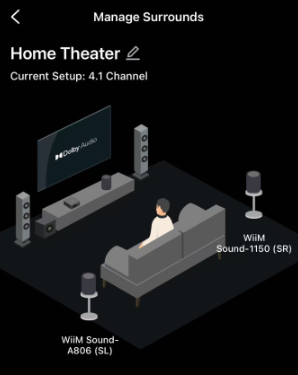
Beta Features:
- [Beta] Sound Mode – Adds Movie / Music sound mode selection for the WiiM Sub Pro in the app (requires upcoming beta Sub Pro firmware).
- [Beta] Standby Source Mode – Select the input used in standby for immediate playback when a wired source is connected (requires upcoming beta firmware).
- [Beta] Surround Setup – Simplifies surround sound configuration, reducing setup steps (requires upcoming beta firmware).
 WiiM Firmware Updates
WiiM Ultra Firmware v5.2.807149 – Feb 9, 2026
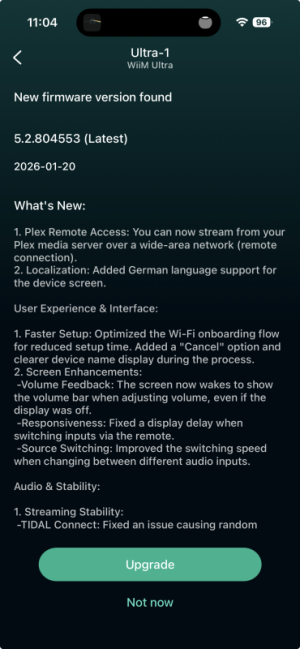
This update is big, and it’s still rolling out. Some highlights include Per-Input Now Playing, New Cover Layouts, and Dolby Visuals which are listed above. This update also has some fixes and improvements to Live Metadata, Qobuz Radio, and vTuner improvements.WiiM Sound Firmware v5.2.806846 – Feb 6, 2026
What's New:- Standby Wake-up – Fixed unintended screen wake-ups in standby.
- Playback – Improved playback smoothness with the wireless WiiM Sub Pro.
 WiiM Help Center Highlights – February 2026
This month's Help Center updates focused on new streaming workflows, immersive display features, headphone amplification, and deeper subwoofer and surround sound configuration guides. Full highlights at: WiiM Help Center Highlights – February 2026- Tutorial: Using the Open Network Stream Service (New Feature) – Step-by-step guide with added import/export and sort functions.
- Elevate Your Listening Experience with WiiM's Immersive Cover (New Feature) – How to enable and explore immersive cover art visuals.
- Using WiiM Ultra as a Desktop Headphone Amp (New Feature) – How to use the Ultra as a dedicated desktop headphone amplifier, now with headphone EQ support.
- WiiM Sub Pro Sound Mode: Better Bass for Music & Movies (New Feature) – Dedicated sound modes for music vs. movie playback.
- Standby Mode Source: Instant Playback for Wired Inputs (New Feature) – Configure instant playback when a wired input is detected.
- Simplify Surround Sound Setup with "Add Surrounds" (New Feature) – A guide to the new Add Surrounds feature for streamlined surround configuration.
- And more!
 Community Highlights
We're always listening for great community contributions! If you see someone being awesome on the forums, message our team and we can shine a spotlight on them. A big thanks to everyone helping out in the community.Want to Get Involved? Join our Community Curators Program to shape the WiiM community's future and gain exclusive benefits. Jump in and lend a hand!
Share your thoughts, feedback, and ideas in the feedback section or the feature requests section. Follow the Forums Announcement board for the latest updates and promotions.
Thanks for being involved — the water's nice!


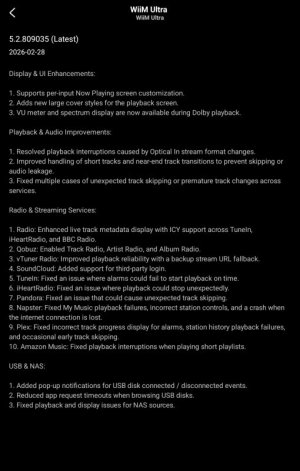


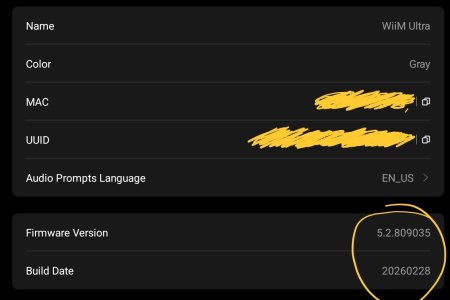


 ).
).


