
Can't Play from WD Mycloud anymore

Bobster1

New Member
Joined
Feb 8, 2026
Messages
6
Hi

First Post, please be gentle.
I bought a Wiim Amp just after Christmas, and I love it.
I've been using it for streaming music from a streaming service and from a WD Cloud NAS. I installed the Twonky Server software on my NAS and it worked effortlessly until about 10 days ago. I can see all the music, album art etc, but when I press play I get nothing, and then it just quickly skips to the next track and continues to do the same.
If I access it through the My Cloud OS5 app, again, I can see all the music AND play it, but that just comes through my phone.
I have tried uninstalling the Twonky Server software and re installing it, but to no avail-still the same.
I'm doing all this through my iPhone 15
Any help would be appreciated.
Thanks in advance.
 
Hi

First Post, please be gentle.
I bought a Wiim Amp just after Christmas, and I love it.
I've been using it for streaming music from a streaming service and from a WD Cloud NAS. I installed the Twonky Server software on my NAS and it worked effortlessly until about 10 days ago. I can see all the music, album art etc, but when I press play I get nothing, and then it just quickly skips to the next track and continues to do the same.
If I access it through the My Cloud OS5 app, again, I can see all the music AND play it, but that just comes through my phone.
I have tried uninstalling the Twonky Server software and re installing it, but to no avail-still the same.
I'm doing all this through my iPhone 15
Any help would be appreciated.
Thanks in advance.
Welcome to the forum.
Are you using the WiiM Home App to access your NAS?
 
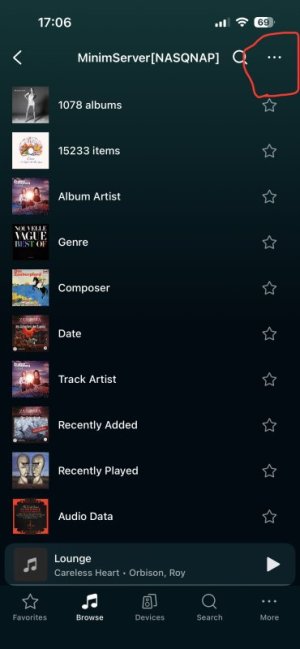
Has there bene a recent firmware update around the time it stopped working? Also, under Home Music Share for the Twonky Server, did you perhaps choose advanced mode? If so, try switching back to legacy mode under the three dot menu on the server page
 
Has there bene a recent firmware update around the time it stopped working? Also, under Home Music Share for the Twonky Server, did you perhaps choose advanced mode? If so, try switching back to legacy mode under the three dot menu on the server page
I don't think there has been a Wiim firmware update-The build date us 20251224-which I assume is the date-which would pre date when I got it.
Unfortunately I don't quite understand the last part. If I go into the Wiim Home app Browse/Home Music Server and press 3 dots-all I see is 'Add Shared Folder' or 'Replay Gain'
 
I don't think there has been a Wiim firmware update-The build date us 20251224-which I assume is the date-which would pre date when I got it.
Unfortunately I don't quite understand the last part. If I go into the Wiim Home app Browse/Home Music Server and press 3 dots-all I see is 'Add Shared Folder' or 'Replay Gain'
Go one step further before clicking on the ellipsis. Select your Twonky server first.
 
I'll attach a screen recording
View attachment 33649
Hmm, that‘s odd.
Now the only thing I can think of is to perform a rescan of your server.
If this fails you could try another server software. Give Minim Server a shot if its available for your NAS.

Else / additionally reinstall the WiiM app. Maybe it‘s locked some old data in its cache form some reason.

If all fails you should file ticket with WiiM.
 
Last edited:
I can see all the music, album art etc, but when I press play I get nothing, and then it just quickly skips to the next track and continues to do the same.
The Android WiiM Home app developed a new caching "feature" recently (soon to be fixed hopefully).
To rule out this problem/feature, try playing an album that you haven't played, or even browsed to before.
 
The Android WiiM Home app developed a new caching "feature" recently (soon to be fixed hopefully).
To rule out this problem/feature, try playing an album that you haven't played, or even browsed to before.
He‘s using an iPhone. But maybe this ‚feature‘ extends across platforms. I haven‘t experienced it though (on iPhone).
 
Hmm, that‘s odd.
Now the only thing I can think of is to perform a rescan of your server.
If this fails you could try another server software. Give Minim Server a shot if its available for your NAS.

Else / additionally reinstall the WiiM app. Maybe it‘s locked some old data in its cache form some reason.

If all fails you should file ticket with WiiM.
I checked, Minim Server isn't available for my NAS. I've tried uninstalling and re installing-still the same. the strange thing is I can see everything but not play-but I can see and play on the WD OS5 app. it does exactly the same on the wiim home app on the Mac. Thanks to everyone for help-I'll raise a ticket
 
Last edited:
He‘s using an iPhone. But maybe this ‚feature‘ extends across platforms. I haven‘t experienced it though (on iPhone).
You wouldn't experience the problem with MinimServer as it correctly updates the GetSystemUpdateID state after rescans/restarts, so there should never be a stale cache.
 
Back
Top