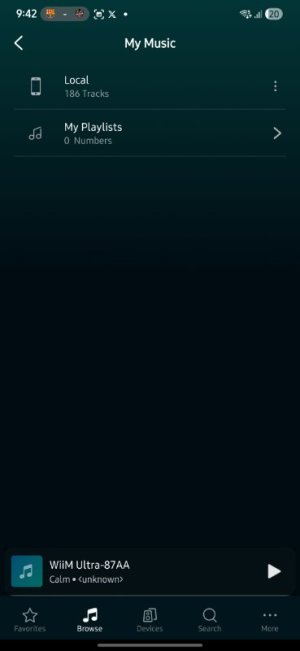
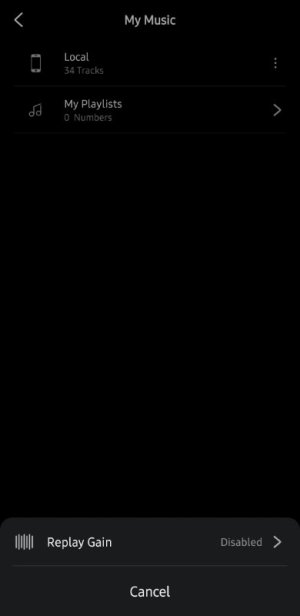
"Edit" option to "My Library">"My Music">"Local" is missing

davilesp

New Member
Joined
Feb 23, 2026
Messages
2
Hi:

I'm new to the WiiM ecosystem and this is my first post in this forum. So I will appreciate your patience and understanding if I'm using to wrong section with this post.

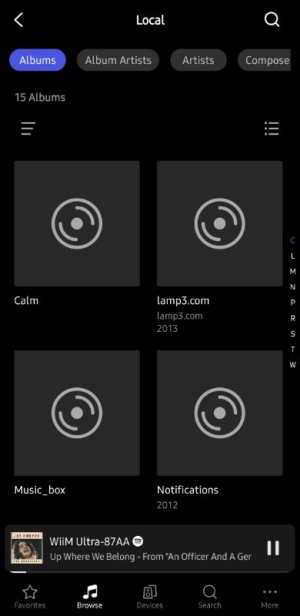
I decided to import my local music files from my mobile divece through the WiiM app just to find out it also pulls out a group of ringtones I have forgotten were still on my phone. Sadly, there's no option to edit (erase) the content of that folder.
I have contacted WiiM support for help, and even though their reply was very fast, the only method they propsed to achive this is to uninstall/install de app, which is very inconvenient.
I have attached some screenshots including one showing the only options I get when pressing the "three dots" icon besides my "local" folder under "My Library"\ "My Music"
I hope developers could consider to include an 'edit" or similar option to this feature to allow users to keep just what is relevant inside the app.

Thanks in advance
 

Attachments
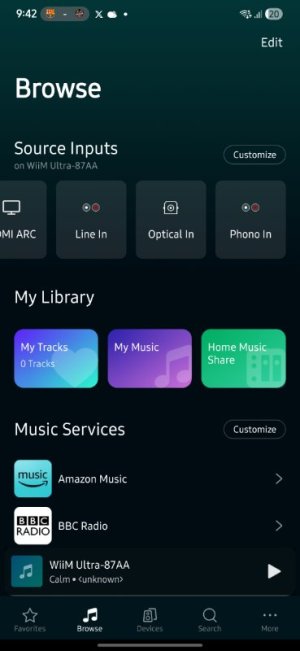
  • Screenshot_20260222_094209_WiiM Home.jpg
    Screenshot_20260222_094209_WiiM Home.jpg
    33.8 KB · Views: 0
  • Screenshot_20260222_094212_WiiM Home.jpg
    Screenshot_20260222_094212_WiiM Home.jpg
    15.7 KB · Views: 0
  • Screenshot_20260328_080227_WiiM Home.jpg
    Screenshot_20260328_080227_WiiM Home.jpg
    9.7 KB · Views: 0
  • Screenshot_20260328_080249_WiiM Home.jpg
    Screenshot_20260328_080249_WiiM Home.jpg
    29 KB · Views: 0
Last edited:
Upvote 0
The WiiM Home App doesn't really "import" the music files in the sense that they would be copied to some other location. It just builds an index of what is found locally on your phone. However, you're right, I don't see any configuration options regarding the folders that are indexed.

Personally, I don't use this feature at all, but I know that others do, so they might provide more helpful tips and tricks.
 
The WiiM Home App doesn't really "import" the music files in the sense that they would be copied to some other location. It just builds an index of what is found locally on your phone. However, you're right, I don't see any configuration options regarding the folders that are indexed.

Personally, I don't use this feature at all, but I know that others do, so they might provide more helpful tips and tricks.
Thanks for your reply and support.

The worst part for me is that I wasn't either planning to use this feature at all, just exploring and experimenting with the app functionality. Now I can't get rid of all those "indexed" files. 🤦🏽‍♂️
 
Hi,

As @harkpabst mentioned, this section simply displays your phone's storage and does not include any editing features. Unless you delete all ringtones using your phone's Files app, they will not be deleted even if you reinstall the WiiM app.


I decided to import my local music files from my mobile divece through the WiiM app just to find out it also pulls out a group of ringtones I have forgotten were still on my phone.
If you’ve already deleted the ringtone, restarting the WiiM app should make it disappear. If not, there are a few workarounds.

1. Open the Files app on your phone and add a numerical prefix to the folder names in the Music folder. If you add numbers like “000, 001, 002” to the beginning of the folder names, they will appear higher in the list in the WiiM app.

2. Add only music files to a playlist. In the WiiM app, if you add all music files to a playlist, they will appear in "My Music."

2-2. Copy the music files from your phone to a USB flash drive and plug it into the Ultra’s USB port. Since you can add entire folders to a playlist from the USB flash drive, this is less hassle than method (2).
 
The worst part for me is that I wasn't either planning to use this feature at all, just exploring and experimenting with the app functionality. Now I can't get rid of all those "indexed" files. 🤦🏽‍♂️
For local media the WiiM Home App relies on Android Media indexing, so there's nothing to get rid of from a WiiM perspective.
You used to be able to exclude directories by placing a .nomedia file in the root, but I don't believe that's the case anymore.
 
Back
Top