I have two Western Digital PR4100. The only application I loaded into it is Plex.
I also run a Ubuntu box with another RAID5 brick mounted. They export their file systems via NFS. Then the other machines, PC-Windows, Android, Chromebook, Raspberries, just mount the file system and they can play stuff nicely, no problem with the size of the file.
Those machines are directly hooked up to the DAC via USB (OTG in some cases), so..
The connection between the player and the NAS is done on the same machine that the player runs.
When I play Tidal HiFi on the machine, it's the same.. the connection between the player and the source of file (stream) are in the same machine.
And this is the problem that I ran into... the reclocking by Android and Chromebook of the audio data going out over the USB path out to the DAC.
A problem the PCs don't have.
So, I read into the WiiM Ultra and bought one to test. I wasn't quite sure how it would work... as a pure bridge... a network proxy for a
virtual USB... or as a
virtual player?
Think of it this way....
A network proxy for the USB model ( a virtual USB ) would take the output of the player to the physical USB and encapsulate it over the network to another device that would take the data and translate it back over a physical USB to the DAC.
In this use case, the only software that runs in the remote unit is the translation of the rendered data from the virtual USB to the physical USB. Bluetooth sort of operates like that.
OTOH, there is another model... ( a virtual player ) where it is the player that makes the network connection. In essence the player gets out of the way from playing the media, it simply commands a remote player that itself makes the connection to the source of the data, renders it and then sends it to the local USB port.
I believe this the WiiM Ultra use case. I runs as a virtual player. Hence Tidal "Connect".. The player software runs in the Ultra proper. The connection to WiiM Home is fine with Android but somewhat tenuous in the PC implementation. (*)
So, now, all was great then, so I bought four of them because I have several systems in the house and I figure (honestly) these things are really well priced ( I don't need/use the local DAC/volume/etc.... OK, I use it in the HT but in the 2ch systems I already have the DACs ).
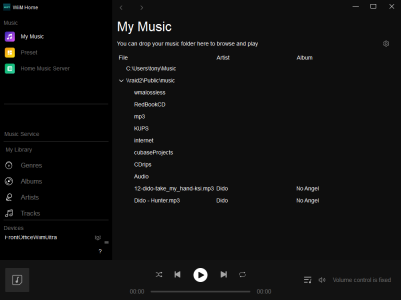
Moving along then, I decided to try playing music that I have in the NASs. And I was able to get the WiiM Ultras to mount the files systems and play the 24/96 files in the network. I'm doing these experiments with WiiM Home in the PC.
And, lo and behold, as I started to work with homeAssistant I was able to discover the Ultras and load media from my network and play it.
HOWEVER, I lost the ability to load the file. It plays but it won't go FF or REW.
Let me explain a bit..... when you play music in a modern player you see a bar in the bottom of the control display that shows the "length" of the file. As the fire gets buffered, the length of the bar gets longer.
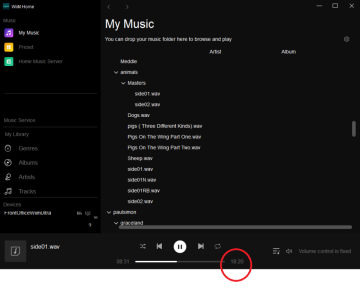
Here's a 24/96 file, notice how the player knows how long the playing time of the file is.. This folder contains a 24/96 recording off an LP. Using Cubase I split the sides of the LP into tracks.
Using WiiM Home in the PC:
View attachment 32060
HMM.... I think I figure it out.... playing with this...
It just takes a long time to process the commands to traverse the file when the file gets big.
(1) until the length of the file is determined, you can not move forwards or backwards.
(2) once the file has been "loaded". moving along the part that has been loaded takes a long time.... the example above, if I go backwards, say 4 minutes, the music will pause for almost 15 seconds until it locates the place and starts to play again.
I'm using WiiM Ultra in the PC for these experiments.
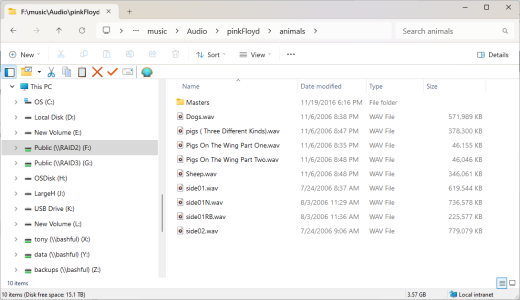
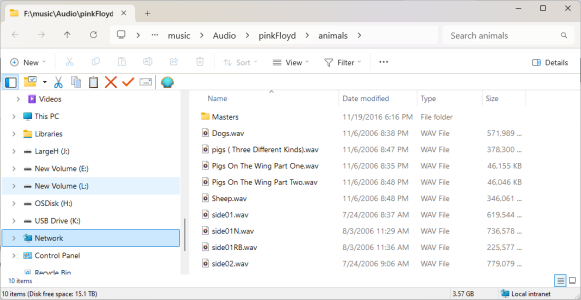
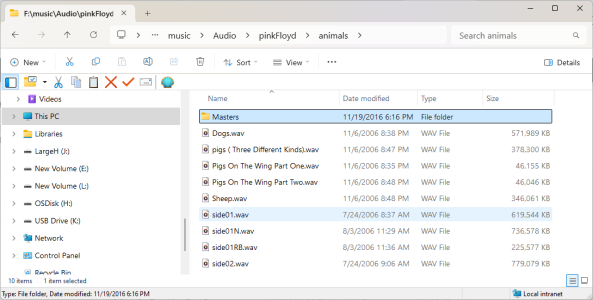
BTW, this is how the files look in the NAS, so you get the idea of the size..
View attachment 32063




 since wave contains no info at all.