Home Screen Widget for Input Switching

Giarc

New Member
Joined
Jul 13, 2024
Messages
4
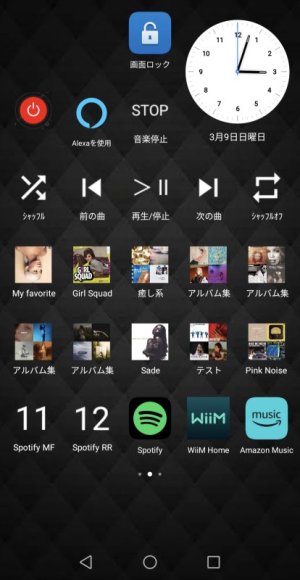
Auto-sensing on my Wiim Pro is problematic. Manual source switching via the Android app works perfectly, but keeping the app open just for this is a pain. I would love to see a small (3 x 1) widget that simply duplicates the four source buttons in the app right on the Home screen. Please consider adding one. Thanks.
 
Upvote 2
It's up to seven inputs in case of the WiiM Ultra. Potentially more with future devices.

Let's see how the voting of community members goes.
 
Last edited:
Auto-sensing on my Wiim Pro is problematic. Manual source switching via the Android app works perfectly, but keeping the app open just for this is a pain. I would love to see a small (3 x 1) widget that simply duplicates the four source buttons in the app right on the Home screen. Please consider adding one. Thanks.
The steps are a bit complex, but you can add a preset button to your home screen using the Android app Macrodroid and WiiM API. You can probably also set up an input switch button.

 
Back
Top