How to prevent updates to Wiim Home and firmware

whodiini

Member
Joined
Dec 11, 2023
Messages
26
Hi

I want more control of the updates, so I would like to prevent auto updates from occuring to either Wiim Home or the firmware. I figure I need to block in my firewall, access to the wiim server where they are accessed, but I dont know the domain or IP addresses to block. Does anyone know these? Thanks
 
For firmware, could you run 'check for update' in the wiim app and see what traffic is generated?
Or if there's a beta that's satisfactory for you, you could maybe apply that to stick at that release.
 
one of the servers WiiM Home app check for firmware updates is cloud-api.linkplay.com
but i don't know what side artifacts blocking this address would cause (try and let us know)
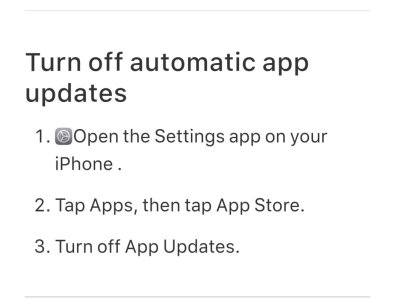
app updates are controlled only from your phone, just disable auto update for the app.
 
The home app comes from the play store if you're on Android, just stop auto update and it won't update till you allow it.
To stop firmware updates you will need to go into your router settings, find the entry for your Wiim device and block all access to the Internet. This will then stop any auto updating but it also breaks connectivity to anything outside of your home network such as any music service,etc. Kind of defeats the object of having a streamer but Plex still works if the server is within your home network. I only do this if Wiim announce any firmware that mentions HDMI alterations as I don't want my settings etc changed. I then monitor this forum for problems reported by forum members until I'm satisfied that the update doesn't break anything. I then allow internet access to my Ultra in my router settings. . Only takes a minute to do all this but I couldn't find another way to stop forced updates.

.
 
I contacted WiiM support and they offered to blacklist my Wiim if I provided the UUID, which I did. I tried to block many domains and like you I couldnt find any solution other than blocking access to internet. But then again, I dont want/need access to the internet.

Now I have set it up the way I want, I can say that I had an old Wiim Pro Plus and I want to use it as an airplay 2 casting device. Firmware was before they disabled it and I finally went thru my backups and found a version of Wiim home that allowed casting. I wanted to set it up in a certain config and just leave it there without touching it again. This is the only device short of dedicating a mac that I know of that allows airplay casting and one reason I bought it. Fortunately, I never set it up so it never got the firmware updates that disabled it.
 
Back
Top