

You are using an out of date browser. It may not display this or other websites correctly.
You should upgrade or use an alternative browser.
You should upgrade or use an alternative browser.
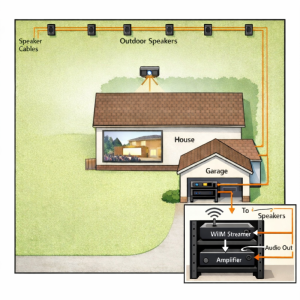
I have my WiiM in a garage connected to the amp that drives outdoor speakers. How to connect an outdoor projector?
Depending on the model of Wiim you have, if you have an apple tv connected to the projector, you could use Airplay for the audio. I am doing this in a few rooms with the Wiim Amp and it works great. There is no audio lag, as long as I am not sending it to a group of devices.


Which WiiM device do you have?NexiGo PJ40
3.5mm output is very bad quality tho, need to use Bluetooth or HDMI arc
What is the distance between the projector and the WiiM?
Is a cable connection possible?
If you have a WiiM without an HDMI port, you could also consider connecting an ARC-compatible HDMI audio splitter to the projector and then connecting to the WiiM via an optical cable.
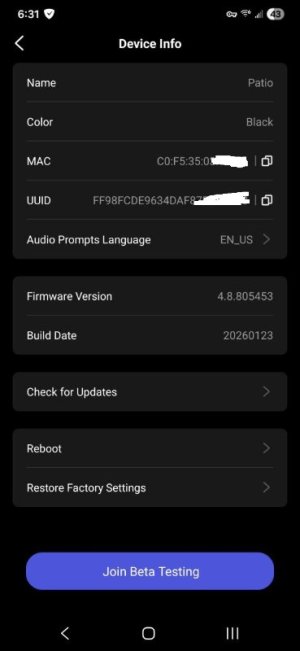
Wiim Plus I think. I don't know how to see. it's not mini for sure, there is no hdmi in
and it does not tell me in the app in "Device info" but it tells there that it is Black. it's just hilarious! Put the model name there! WIIM!
anyway, the distance is probably 150ft, through multiple walls, including exterior Concrete block walls
No way I can route a cable, and it's not a permanent setup. I put it outside just for a movie time. So I need a wireless solution, and I have good WIFI coverage there.
and it does not tell me in the app in "Device info" but it tells there that it is Black. it's just hilarious! Put the model name there! WIIM!
anyway, the distance is probably 150ft, through multiple walls, including exterior Concrete block walls
No way I can route a cable, and it's not a permanent setup. I put it outside just for a movie time. So I need a wireless solution, and I have good WIFI coverage there.
Attachments
Last edited:
HDMI dongle/ TV set top box, android based.What is the source for the projector? You might be able to send the audio wirelessly from the source to the WiiM.
How do I send audio wirelessly to Wiim?
That's what I need
slartibartfast
Major Contributor
- Joined
- Apr 18, 2024
- Messages
- 6,152
The device name would have been there before you changed it to Patio. The original name will be listed in the rename options.Wiim Plus I think. I don't know how to see. it's not mini for sure, there is no hdmi in
and it does not tell me in the app in "Device info" but it tells there that it is Black. it's just hilarious! Put the model name there! WIIM!
anyway, the distance is probably 150ft, through multiple walls, including exterior Concrete block walls
No way I can route a cable, and it's not a permanent setup. I put it outside just for a movie time. So I need a wireless solution, and I have good WIFI coverage there.

- Joined
- Mar 2, 2024
- Messages
- 4,197
Another way to find out is to select the More tab in the WiiM Home app, then Firmware Updates. This will then bring up a list of WiiM devices with the current name, and the type of WiiM device underneath.The device name would have been there before you changed it to Patio. The original name will be listed in the rename options.
How does one send audio wirelessly do a WiiM? Bluetooth, Chromecast, AirPlay (maybe depending on the Wiim model) or DLNA/UPnP.HDMI dongle/ TV set top box, android based.
How do I send audio wirelessly to Wiim?
That's what I need
From your Android set top box, you might be able to send the audio via Chromecast to your WiiM. Or as you indicated in your original post, you might be able to use Bluetooth to send the audio from your projector to a phone and then use Chromecast on the phone to send audio to your WiiM.
In either case, you may have issues with the audio being out of sync with the video.
You can see if the Android box or the app you are using to play your content has either a video delay feature or a negative audio delay. If you can play your content with VLC player you should be able add a negative audio delay to delay the video stream. VLC also has a Chromecast function which can be accessed from the Menu>Playback>Renderer.
Similar threads
- Replies
- 33
- Views
- 3K
- Replies
- 13
- Views
- 529

- Question
- Replies
- 10
- Views
- 1K
- Question
- Replies
- 22
- Views
- 1K
- Question
- Replies
- 7
- Views
- 1K