Ultra having issues connecting to usb network share

slipthru

Member
Joined
Aug 3, 2024
Messages
79
Maybe not the right forum but i'm having issues sometimes when i go to use the wiim ultra that the app draws a black and says its searching for my music share. Don't seem to have the issue when I use the mini in another room.

I have 1TB ssd hard drive in a caddy connected to my ASUS router via USB cable, zero issues seeing the drive on my desktop pc so I no that is not the issue.

Why does the Wiim app lose connection intermittently? and any suggestions on how to stop it.
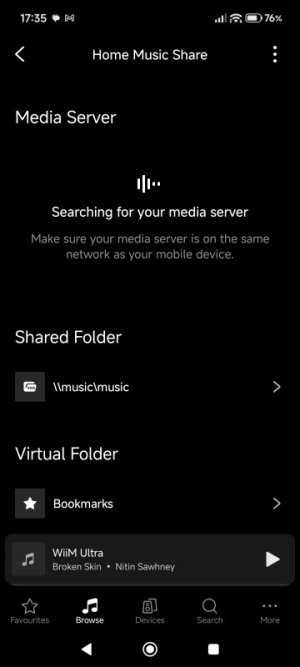
 
I uninstalled the app and reinstalled but it has been like this for hours. At least I can access the files now but it's somewhat annoying.


1000011492.jpg
 
I uninstalled the app and reinstalled but it has been like this for hours. At least I can access the files now but it's somewhat annoying.
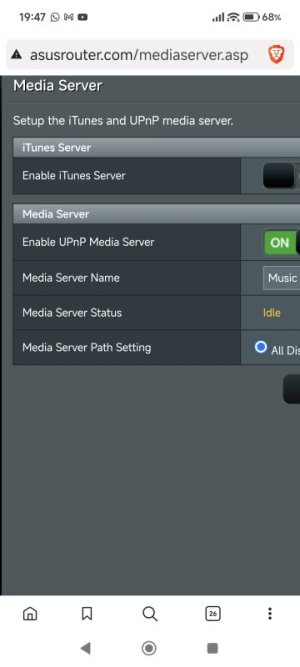
Is there a reason you're not using the ASUS media server?
 
Is there a reason you're not using the ASUS media server?
No, I think am or was I will double check my settings. I haven't changed any settings since setting up a year or two ago. Only thing I did was update the app at the weekend.
 
Definitely am using it that's why I don't understand what's going on with the app.
I only asked because you've been asking about network shares, which would appear under Shared Folder.

Maybe not the right forum but i'm having issues sometimes when i go to use the wiim ultra that the app draws a black and says its searching for my music share. Don't seem to have the issue when I use the mini in another room.
So the WiiM Home app can see the server when in the room with the Mini but not when in the room with the Ultra? Are you using the same phone/tablet and connecting to the same AP in both rooms?
 
Sorry, yes there only ever seems to be an issue accessing the files when I use the ultra and usually around lunch time. But it mostly sorts itself after a bit. Yes same phone always.
 
The WiiM Home app is responsible for media server discovery so it must be network related e.g. congestion/signal strength.
Try setting a track as a favourite and playing it back (Browse > My Library > My Tracks) when discovery fails.
 
The WiiM Home app is responsible for media server discovery so it must be network related e.g. congestion/signal strength.
Try setting a track as a favourite and playing it back (Browse > My Library > My Tracks) when discovery fails.
Switched it all off for 10 minutes, including the router, and it's all back working normally now. Strange. I'm using ethernet for the ultra, though never had an issue with wireless on the mini. I'm guessing the router might have been the issue.
 
Back
Top