March's updates bring new device control options, expanded app capabilities with the new PC app, and deeper audio configuration tools. We've added input-based screen display, a beta for simplified stereo pair setup flow, and RoomFit™ target curve guidance. Check out the new PC app articles with the latest visual changes to the app and improvements to room correction and surround sound documentation.
Whether you're dialing in your desktop setup, configuring a 5.1 surround system, or fine-tuning your room correction process, these articles have you covered.
 App/Software Usage
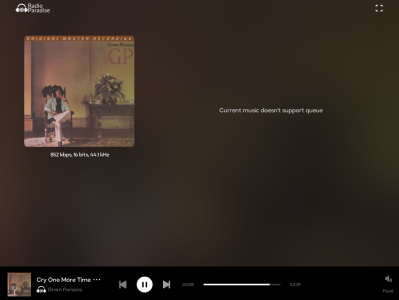
- Introducing the WiiM Home App for PC – (New Feature) – A first look at the updated WiiM Home App for PC, covering how to get started managing your WiiM devices from your desktop.
- How to Manage Your Local Music Using WiiM Home App on PC – (Updated Article) – Learn how to browse and play your local music library through the WiiM Home App on PC now with updated screenshots to reflect the new PC app release.
- How to Stream Music to Your WiiM Device Using a PC – (Updated Article) – Updated screenshots in this step-by-step guidance for streaming music from your PC to your WiiM device.
- Spotify Smart Play on WiiM Ultra: Resume Spotify Playback with a Press – (New Feature) – Learn how to use Spotify Smart Play on the WiiM Ultra to instantly resume your Spotify session with a single button press.
- Adding and Accessing SMB Shared Files in the WiiM Home App – (New Feature) – Learn how to add and browse SMB network shares within the WiiM Home App to access your local music library. Updated existing article with details of new feature, support for m3u8 and pls playlist files.
- Using the Open Network Stream Service – (New Feature) – A guide to importing and playing network streams in the WiiM Home App. Updated existing article with details of new support for the pls file format in network stream import.
 Device Features & Audio Configurations
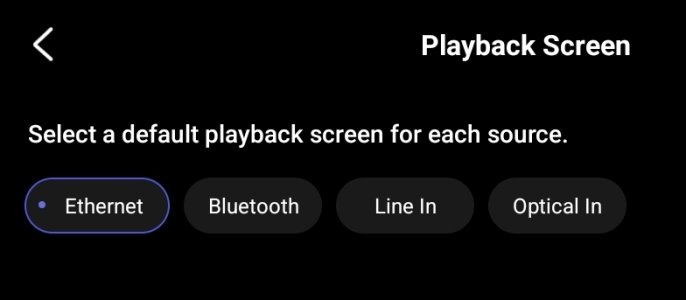
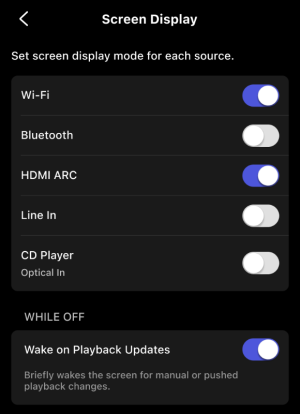
- Input-Based Screen Display Control on WiiM – (New Feature) – Discover how to configure your WiiM device's screen display to respond based on the active input source.
- How to Use the 12V Trigger on WiiM Pro, WiiM Pro Plus, or WiiM Ultra – (New Feature) – A guide to setting up and using the 12V Trigger Control function to automate connected equipment with your WiiM device.
- Simplify Stereo Pair Setup [Beta] – (New Feature) – A streamlined guide to setting up a stereo pair with WiiM devices using the new simplified setup flow.
- Introducing RoomFit™ Settings – (Updated Article) – An in-depth look at RoomFit™, now with explanations of all three target curves — Flat, B&K, and Harman — including graphs, key characteristics, and guidance on which type of listener each curve suits best.
- Setting Up WiiM Sound as Center and Surround Speakers in a WiiM 5.1 Surround Sound System – (Updated Article) – Updated with an extra note clarifying the flexibility to configure 3.0, 3.1, 4.0, 4.1, 5.0, and 5.1 systems.
- Using an External Microphone for Room Correction – (Updated Article) – Now includes important instructions to follow during the room correction process, with an improved article style for clarity.
- How to Set Up Your WiiM Sub Pro – (Updated Article) – Step-by-step setup guidance for the WiiM Sub Pro. Updated with a clarification that the Vibelink Amp and WiiM Mini are not compatible with the Sub Pro.
- Simplify Your Music Control via Android Widget and Lock Screen Control – (Updated Article) – Learn how to control WiiM playback directly from your Android home screen widget and lock screen. Updated with a new entry in the limitations section noting that DLNA Cast is not supported in this control mode.
 Troubleshooting
- How to Resolve Pop Noise Issues When Using WiiM's Digital Audio Outputs (Optical Out/Coax Out) – (Updated Article) – A new cause and solution has been added: Electrical Ground Loops, helping users diagnose and resolve a common source of pop noise on digital outputs.
- How to Clean and Maintain Your WiiM Sound or WiiM Sound Lite – (New Article) – Updated care and maintenance guidance for WiiM Sound and WiiM Sound Lite owners.