Eddiefreddie
New Member
- Joined
- Apr 13, 2025
- Messages
- 19
Hi,
Hopefully somebody can solve this weird problem with Qobuz Connect, I searched this forum, but did not find a solution.
Since I want to step over from Tidal to Qobuz, I am trying to make it work on my WIIM Pro.
In the WIIM Home App it all works fine, I an use Qobuz and it is flawless, however a bit limited in features. So I really like to play over Connect from my devices.
I tried everyhting:
- Swichting WIFI AP to 2.4G on all devices
- Reinstalling, rebooting all apps.
- Install Beta firmware on WIIM (Which actually truned out to be a lower version..(?)
- Resintaled current firmware, saw the bug problem on Google Cast while no activated. Turn on and ff again which removed the Cast option to WIIM.
While doing all this, Spotify and Tidal remained having the option to use Connect, even when the Cast option showed up.
And I was able to connect Qobuz to Google Cast on the WIIM, before I turned it off.
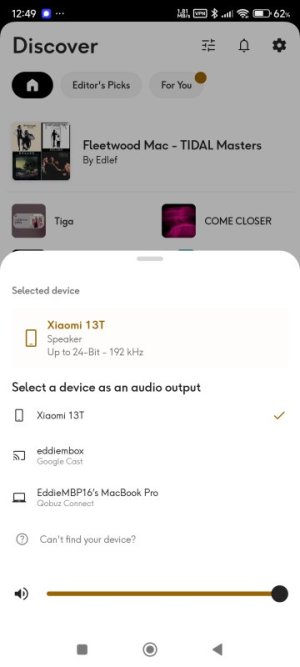
The Qubuz apps sees my phone and even my Laptop when the app is running but not the WIIM.
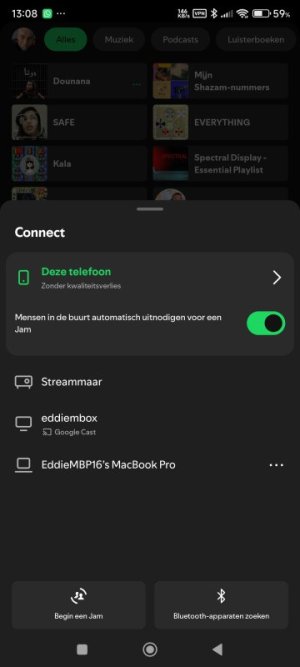
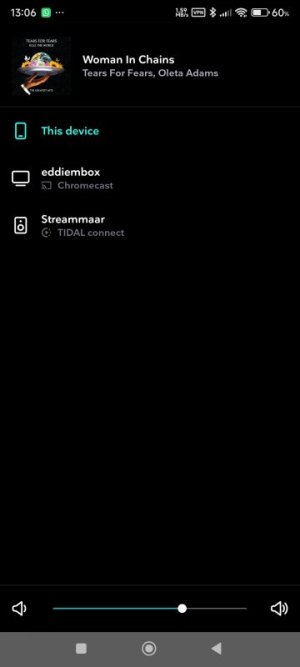
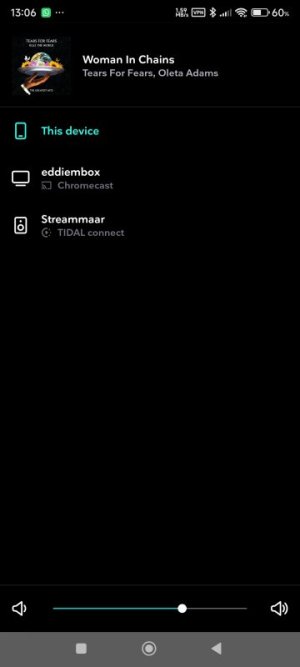
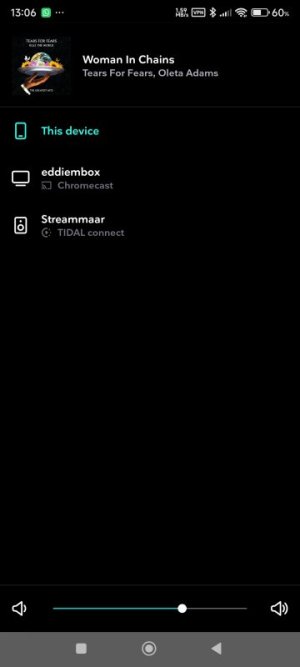
This is what I see on the laptop and phone apps ("streammaar" is WIIM, "eddiembox" is Android TV):
Does anybody has any additional idea on getting the Qobuz Connect to work?
And is this a WIIM or Qobuz 'problem'?
Thanks!
Eddie
Hopefully somebody can solve this weird problem with Qobuz Connect, I searched this forum, but did not find a solution.
Since I want to step over from Tidal to Qobuz, I am trying to make it work on my WIIM Pro.
In the WIIM Home App it all works fine, I an use Qobuz and it is flawless, however a bit limited in features. So I really like to play over Connect from my devices.
I tried everyhting:
- Swichting WIFI AP to 2.4G on all devices
- Reinstalling, rebooting all apps.
- Install Beta firmware on WIIM (Which actually truned out to be a lower version..(?)
- Resintaled current firmware, saw the bug problem on Google Cast while no activated. Turn on and ff again which removed the Cast option to WIIM.
While doing all this, Spotify and Tidal remained having the option to use Connect, even when the Cast option showed up.
And I was able to connect Qobuz to Google Cast on the WIIM, before I turned it off.
The Qubuz apps sees my phone and even my Laptop when the app is running but not the WIIM.
This is what I see on the laptop and phone apps ("streammaar" is WIIM, "eddiembox" is Android TV):
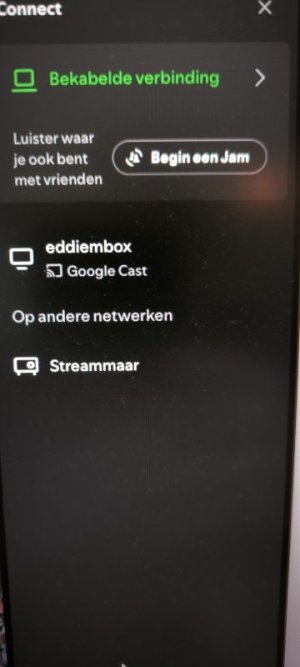 | 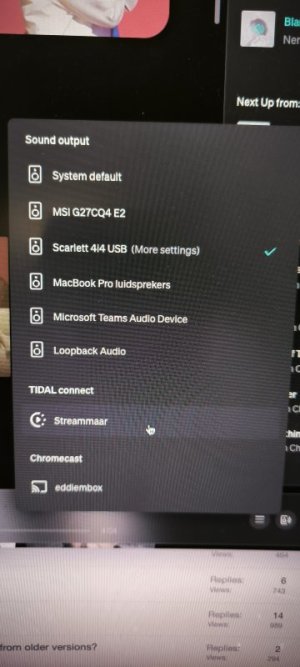 | 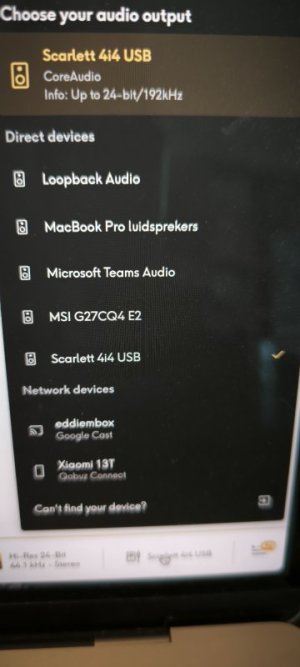 |
| SPOTIFY APP @ Macbook | TIDAL APP @ Macbook | QOBUZ APP @ Macbook |
 |  |  |
| SPOTIFY APP @ Android Phone | TIDAL.APP @ Android Phone | QOBUZ APP @ Android Phone |
Does anybody has any additional idea on getting the Qobuz Connect to work?
And is this a WIIM or Qobuz 'problem'?
Thanks!
Eddie
 I thought logging in the app on WIIM would be enough and