Remote stopped working

GuitGuy

Member
Joined
Oct 21, 2024
Messages
30
I have 2 Wiim Pro Pluses that came with remotes that i bought a year ago. Neither remote is working it seems. I put fresh good batteries in each (tried multiple sets) and I cannot get them to work.

I did confirm that the batteries I put in originally died...so I think it is an issue of not being able to re-pair the remotes.

I tried the pairing procedure and they won't pair. I hold the mute and input buttons down for more than 2 seconds, let go and in the app I tell the device to pair. It tells me it can't find the remote.

Am I doing something wrong? I tried pressing the buttons while pairing, letting go before pairing...nothing works. The procedure isn't totally clear.

Ideas? It seems unlikely that both remotes went bad. The both worked when I initially set them up last year.

Thanks.
 
Last edited:
Ideas? It seems unlikely that both remotes went bad. The both worked when I initially set them up last year.
Have a look at this
 
Have a look at this
Thanks for the suggestion but that didn't help.

I have a Samsung phone if that matters.
 
I have a Samsung phone if that matters.
Me too.!
OK, try this . Unplug your wiim device for a couple of minutes. Turn off ANY Bluetooth connections that you have switched on, TV, Tablet, Phone etc. Restart your WiiM device and allow to fully boot up. Leave all Bluetooth connections turned off. When you go to pair your remote get really close to the WiiM device and just keep trying. You may have to try a few times. Make sure your batteries are good 👍
Can you also check and see if you have accidentally paired your remote to your phone. If so delete (forget) the connection.See if that works
 
Thanks for the suggestion but that didn't help.

I have a Samsung phone if that matters.

First, try @Ronnie's excellent suggestion. If that doesn't resolve the issue, try these steps:

1. Check that the remote's batteries are not inserted with the + and - terminals reversed.

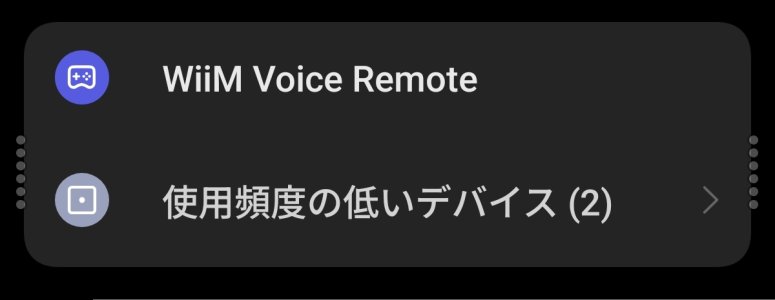
2. Turn on your phone's Bluetooth and display the phone's Bluetooth settings screen. Next, put the remote into pairing mode. Refresh the phone's Bluetooth screen and check that "WiiM Voice Remote" appears in the list of discoverable devices. If it appears, your remote is not broken. You can also try pairing it with the phone just to be sure.
1559.jpg


3. Open the "App Info" of the WiiM app and confirm that permissions for "Nearby Devices" and "Location" are enabled.
 
So I went back to the other remote and I could see it show up in my Bluetooth device list. Went into remote pairing on the app and it came right up. So now I know what to look for!

I will see if there is a battery connection issue or something with the problematic remote.

Thanks for the help!
 
Last edited:
To follow up on this, I managed to get the problematic remote apart and found what looked like a dodgy solder joint on one of the battery terminals. I reflowed the solder and measured the voltage at the test points I found on the circuit board. That all looked good, but still no joy. Not sure what happened to it but it appears to be toast. If I find I miss it, I may just order one.

I now know way more than I had ever planned to learn about this remote! :)
 
Next time, before taking anything apart, I would highly recommend that you raise a ticket to WiiM support using the header of this forum or going to more/feedback in the app. 😂😂🤣
If it was the box itself I wouldn't have taken anything apart. It seemed worth the risk with the remote. I see there is a better version available with a rechargeable battery, so if I miss it I will get one of those.
 
Back
Top