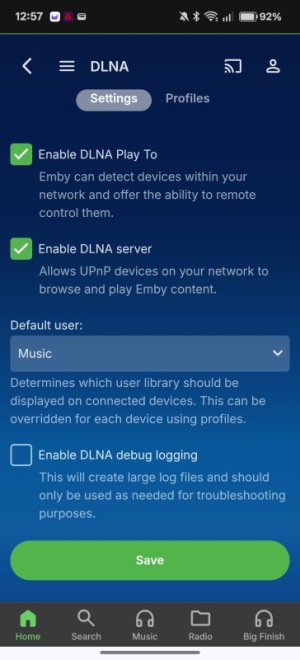
In Emby go to Settings > DLNA and enable:
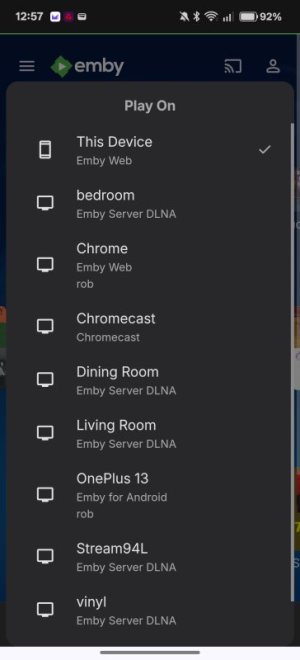
Enable DLNA Play To: Cast to UPnP renderers e.g. WiiM Ultra
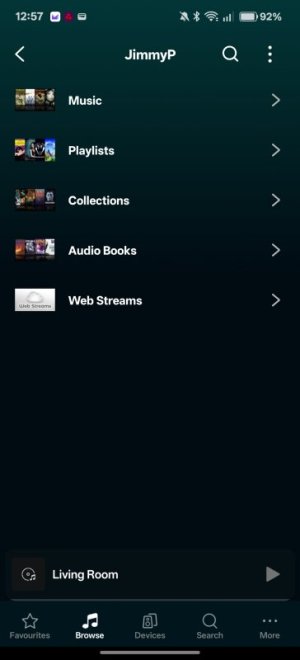
Enable DLNA Server: Browse library from third party control points e.g. WiiM Home app
To browse your library from the WiiM Home app go to Browse > Home Music Share > Media Server > [Emby Server], but DO NOT choose to build "an enhanced music library". Whilst "Advanced" mode does have a slightly more functional UI (a couple of sorting options) it's not worth the hassle.
For the best browsing experience use the Emby app to cast to your Ultra using UPnP (once Enable DLNA Play To has been enabled), or a third-party app like Symfonium.
The Plex browsing experience in the WiiM Home app is slightly better, but is limited by the Plex API, at least on the free tier e.g. Search only returns 4 results from each category (album, artist e.t.c.).
EDIT: Having said that, I've just tried it and the WHA can't see any Emby content, whereas it's fine in BubbleUPnP, Hi-Fi Cast etc