@WiiM Team,
I’ve been monitoring this for the past 3 days, so I’d like to report on the progress so far. To cut to the chase, there’s no sign that the Vibe’s Bluetooth signal has disappeared.
However, there seems to be a slight issue with the WiiM app.
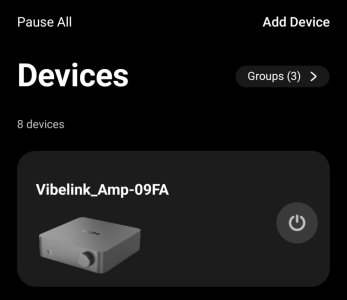
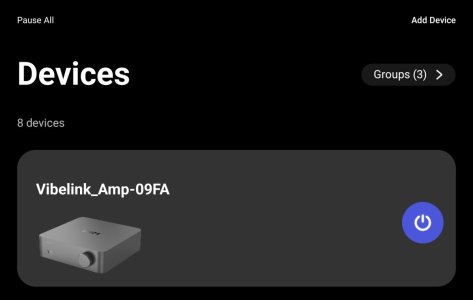
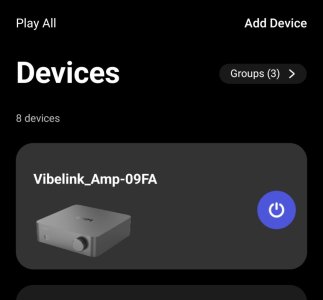
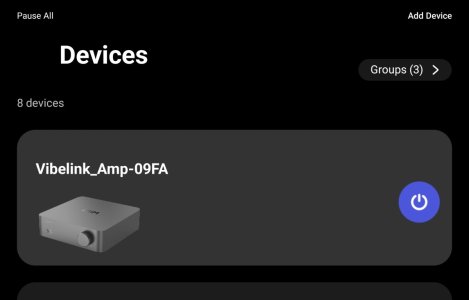
Even though the Vibe is in sleep mode, the status displayed in the WiiM app is inconsistent.
<Xiaomi 15>
WiiM app battery optimization: Off
App lock: On
View attachment 36320
<Xiaomi pad Mini>
WiiM app battery optimization: On
App lock: On
View attachment 36321
<Galaxy Tub S8+>
WiiM app battery optimization: On
App lock: Off
View attachment 36322
I have confirmed that restarting the app changes the status on all devices. After restarting, the power icon on the Vibe card turns on (even though the Vibe is in sleep mode, of course).
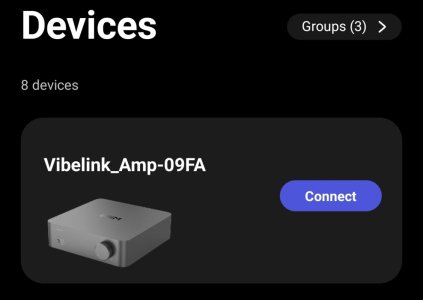
Additionally, on all devices, the Bluetooth connection between the app and the Vibe may occasionally disconnect, causing the "Connect" icon to appear.
Next, I tapped the Connect icon to check how Vibe was working.
View attachment 36323
When the app and Vibe reconnect, the power icon in the app turns on. The Vibe remains in sleep mode. Even if I tap the icon, the Vibe remains in sleep mode.
View attachment 36325
Next, with the power icon turned on and the Vibe in sleep mode, I pressed the Vibe’s power button to turn it on. Then, when I tapped the power icon in the app again, the Vibe went back to sleep.
Based on these results, I believe this indicates that it is not a display bug in the WiiM app, but rather that the app is unable to detect the Vibe’s power status.
If this is a display bug, the Vibe should turn on when you first tap the power icon.
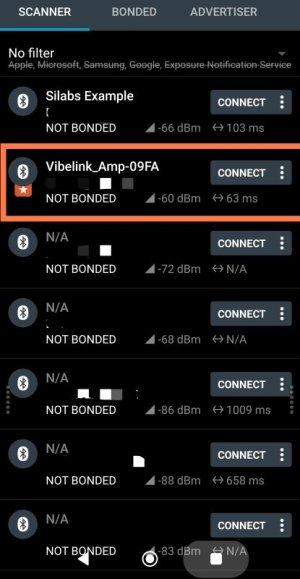
Btw, the Bluetooth signal strength of the Vibe seems to be fine. We were able to get a strong signal even from a distance of 5m.
View attachment 36324
I will continue to monitor the situation.