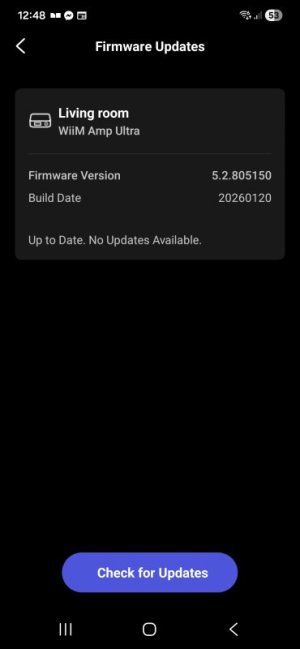
WiiM Amp Ultra Firmware v5.2.809633 Update - Mar 3, 2026

Please review the WiiM Amp Ultra update release notes below. If you encounter any issues, feel free to reach out to us. This firmware update is being rolled out in stages, with devices updating sequentially over the next few days.

5.2.809633 (In Progress)

Release date:

Mar 3, 2026

Display & UI:
  1. Per-Input Now Playing: Customize the Now Playing screen for each input source.
  2. New Cover Layouts: Added larger album-art views for a more immersive playback screen, with Home and Music Source icons hidden.
  3. Dolby Visuals: VU Meter and Audio Spectrum now work during Dolby playback.
  4. Localization: Added German language support for the device screen.
Playback & Audio:
  1. Optical In: Fixed dropouts caused by input stream format changes.
  2. Short-Track Transitions: Improved near-end handling to prevent skipping or audio “leakage.”
  3. Track Skips: Resolved multiple cases of unexpected skipping / premature track changes across services.
Radio & Streaming Services:
  1. Live Metadata: Added ICY support for richer “now playing” info on TuneIn, iHeartRadio.
  2. Qobuz: Added Track Radio / Artist Radio / Album Radio.
  3. vTuner: Improved reliability with backup stream URL fallback.
  4. SoundCloud: Added third-party login support.
  5. TuneIn: Fixed alarms occasionally starting late or failing to start playback.
  6. iHeartRadio / Pandora: Fixed intermittent stops and unexpected skipping.
  7. Pandora: Fixed an issue that could cause unexpected track skipping.
  8. Napster: Fixed My Music playback failures, incorrect station controls, and a disconnect-on-no-internet crash.
  9. Plex: Fixed alarm progress display, station history playback failures, and occasional early skips.
  10. Amazon Music: Fixed interruptions when playing short playlists.
  11. TIDAL Connect: Updated the SDK to fix an issue that could cause random playback stops.
USB & NAS:
  1. USB Notifications: Added connect/disconnect pop-ups.
  2. Faster Browsing: Reduced app timeouts when browsing USB drives.
  3. NAS Playback: Fixed playback and display issues for NAS sources.
 
Last edited:
I just updated to the newest firmware on my Wii Sound Lites and they too have disappears from my list of Roon Ready devices. This is crazy!
I'm currently in process of corresponding with customer support about this issue; I’ve sent them screenshots and waiting for a solution.
 
Support suggested that I update my Roon version to the latest release and give it a try. However, I don’t want to update: there are compatibility issues between the new versions and my hardware. The old firmware worked fine, and I don’t see any reason to fix what isn’t broken.
 
2) A fix so not to get stuck in BT when tapping through source select from the remote.
I thought I was having this problem, but either I got the update and it fixed it, or I just changed the way I was switching inputs and it seems to not be an issue any more. I would push the input select button and expect instantaneous switching, and it would get to the BT screen and I'd keep pushing the button, thinking that it was stuck. It seems that input switching via the remote is very slow. If you push the button and wait a few seconds for the input to change it will move off the BT screen. I don't know why it takes so long...
 
I've recently had a similar experience with Audirvana Studio and the Wiim Amp Ultra
It freezes about every 3 seconds within a track
 
Support suggested that I update my Roon version to the latest release and give it a try. However, I don’t want to update: there are compatibility issues between the new versions and my hardware. The old firmware worked fine, and I don’t see any reason to fix what isn’t broken.
I rolled back to the previous firmware, and everything started working immediately.
 
The old firmware worked fine, and I don’t see any reason to fix what isn’t broken.
The thing is, if Roon decide to update their RAAT API, then WiiM have to update to Roon's latest SDK or they will break other things. There's no way around this interdependence, unfortunately.

Now, I don't say that exactly this has happened here, because I simply don't know. I'm just replying to the "if it ain't broken, don't fix it" argument, because it's just not that easy in real life.

If a new API is no longer compatible with previous versions, then WiiM can do nothing about it. If they can make it work by changing the way they are integrating Roon, they certainly should as quick as possible. Ditto, in case they simply screwed it. ;)
 
Last edited:
The thing is, if Roon decide to update their RAAT API, then WiiM have to update to Roon's latest SDK or they will break other things. There's no way around this I interdependence, unfortunately.

Now,.I don't say that exactly this has happened here, because I simply don't know. I'm just replying to the "if it ain't broken, don't fix it" argument, because it's just not that easy in real life.

If a new API is no longer compatible with previous versions, then WiiM can do nothing about it. If they can make it work by changing the way they are integrating Roon, they certainly should as quick as possible. Dito, in case they simply screwed it. ;)
Thanks for your comments. I understand that, but such changes are usually announced in advance both by the RATT API developer and by the vendor ensuring Roon Ready compatibility for users. I know that many still use Roon Legacy 1.8.
 
I'm still not sure what incompatibility you ran into - as I've spent much of today listening to Roon on both my Amp Ultra and one of my Pro Plus (all with no faults - including none from the previous issue of Roon with their Cloud Services).
 
I'm still not sure what incompatibility you ran into - as I've spent much of today listening to Roon on both my Amp Ultra and one of my Pro Plus (all with no faults - including none from the previous issue of Roon with their Cloud Services).
The problem is in the inability to use the Wiim device for streaming via RATT with earlier versions of Roon (1.8 Legacy or 2.47), even though the devices are listed as Roon Ready.
 
The problem is in the inability to use the Wiim device for streaming via RATT with earlier versions of Roon (1.8 Legacy or 2.47), even though the devices are listed as Roon Ready.
Can't help you there... My Roon Server is running v2.6.0 on Win10 (and is begging that I update it to 2.6.2).
Ever think that your "legacy" versions might have "fallen off the back-end of 'backwards compatibility'" as Roon pushes its Roon Ready manufacturers updated API to support new features??
 
The problem is that the WiiM Pro with the 2026 firmware works fine with both old and new versions of Roon. Does that mean proper compatibility can be achieved? I'm leaning to the conclusion that this is a firmware bug.
 
Hey everyone! Regarding Roon, the current WiiM firmware rolling out has the updated Roon SDK to RAAT 1.1.47 Code Signing, in order to get the updates included in it. This Code Signing update has some big security improvements for Roon Ready devices but it requires a handshake between the Roon Ready device and your Roon Core. This SDK is being included in the new firmware updates for WiiM devices, currently the WiiM Amp Ultra and Sound Lite are getting it, and I believe it'll hit the others with their next updates.

If you have any trouble seeing your WiiM devices after this update in Roon, you'll need to update to the latest Roon Server software in order for the devices to be discovered. This is the other side of the security improvements.

For anyone having discovery issues after updating both WiiM and Roon, here are some other troubleshooting steps you can try:
1. Try logging out and back into Roon to see if the session has timed out.
2. See if any new ports or connections are being blocked by firewalls on either your Roon Core device or on the network side. Some routers can be a little overly helpful.
3. If you're using a VPN, try disabling it to see if the Roon server calls to authorize the device are getting routed poorly.
 
Last edited:
Back
Top