“5 GHz only” back on for no reason

Why is it out of question? Personally I would recommend it as best practice.
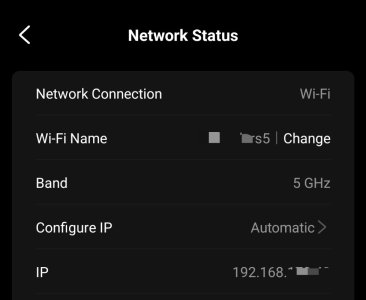
Hi. If I do split 2.4 vs 5 Ghz to comply with what WiiM is asking to counter the “back to 5 GHz” bug and I connect the Amp to the 2.4 GHz network, will it loose connection and become undiscoverable after the 5 GHz only toggle will inevitably get back on for no reason? Would be the worst case cause I will loose access to the Amp at all in that case no?
Many thanks!
 
Hi. If I do split 2.4 vs 5 Ghz to comply with what WiiM is asking to counter the “back to 5 GHz” bug and I connect the Amp to the 2.4 GHz network, will it loose connection and become undiscoverable after the 5 GHz only toggle will inevitably get back on for no reason? Would be the worst case cause I will loose access to the Amp at all in that case no?
Many thanks!
Exactly this is not going to happen. Being on 2.4 GHz when it starts to reboot and with the toggle on 2.4 GHz it will not set the toggle back to 5 GHz only. That's the reason why WiiM recommend to separate the bands. The WiiM must not ever get a chance to connect to 5 GHz.

I'm in this sort of setup since the end of December without any problems and still on 2.4 GHz with both an Ultra and a Sound.

Being an opponent of separated bands initially this is now my preferred configuration. Now I can also tell my stupid iPhone to use 2.4Ghz when I'm in a remote corner of the house with barely any 5 GHz coverage and it's still clinging onto it.
 
Last edited:
  • Like
Reactions: hgb
Exactly this is not going to happen. Being on 2.4 GHz when it starts to reboot and with the toggle on 2.4 GHz it will not set the toggle back to 5 GHz only. That's the reason why WiiM recommend to separate the bands. The WiiM must not ever get a chance to connect to 5 GHz.

I'm in this sort of setup since the end of December without any problems and still on 2.4 GHz with both an Ultra and a Sound.

Being an opponent of separated bands initially this is now my preferred configuration. Now I can also tell my stupid iPhone to use 2.4Ghz when I'm in a remote corner of the house with barely any 5 GHz coverage and it's still clinging onto it.
Many thanks! So if I connect the Amp to a 2.4 Ghz network it will remain accessible and connected to it whatever that "5 Ghz only" toggle is (periodically re-enabled or not)? Weird but as long as I do not loose connection to the unit that is fine
 
Many thanks! So if I connect the Amp to a 2.4 Ghz network it will remain accessible and connected to it whatever that "5 Ghz only" toggle is (periodically re-enabled or not)? Weird but as long as I do not loose connection to the unit that is fine
Yes and no. You must leave the 5GHz toggle off. But it will not revert to on automatically.
If you turn in on there‘s no harm done but the Wiim will loose the wifi connection. Turn it back off and it will reconnect.
The essential thing is to have differing SSIDs for both bands and that the Wimm is unfamiliar with the 5GHz SSID.
 
  • Like
Reactions: hgb
Yes and no. You must leave the 5GHz toggle off. But it will not revert to on automatically.
If you turn in on there‘s no harm done but the Wiim will loose the wifi connection. Turn it back off and it will reconnect.
The essential thing is to have differing SSIDs for both bands and that the Wimm is unfamiliar with the 5GHz SSID.
Ok so splitting bands kind of solve the issue but if you inadvertently toggle the 5GHz only on you loose all connection to the unit and need to plug it to Ethernet to get back access to it. Not perfect Amp behavior by any mean but if that works that should be ok. A huge thank you for your quick and detailed responses!
 
Back
Top