WiiM Ultra Firmware v5.2.739061 Update - Dec 18, 2025

Please review the WiiM Ultra update release notes below. If you encounter any issues, feel free to reach out to us. This firmware update is being rolled out in stages, with devices updating sequentially over the next few days.

5.2.739061 (In Progress)

Release date:

Dec 18, 2025

Bug Fixes:
  1. Multiroom: Fixed an issue preventing multiroom setup with some routers.
  2. Google Cast: Fixed missing subwoofer bass output and EQ not working.
 
Yes, plenty of similar sounding titles but not the UK station.


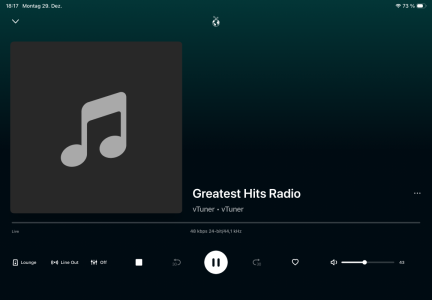
I found a station named GHR on TuneIn, I think it was 128kb/s, but it is not the UK GHR. Under vTuner I can only find "47kbps 24-bit/44.1 kHz".

Is the station that you found GHR as on Rayon? Do you have the stream details?

-Eric
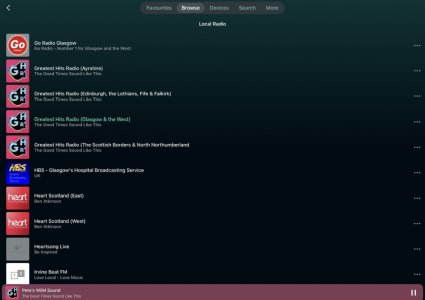
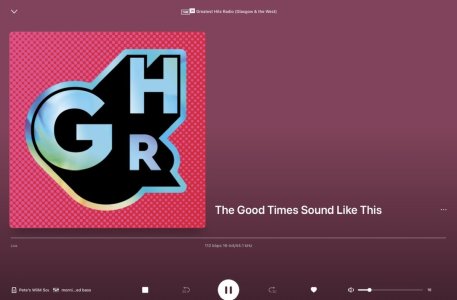
It’s there under Local Radio for me in Tunein, and plays at 112kbps but only with the station logo, no track details. I need to use Lyrion and its Global Radio plugin to get those.

IMG_9893.jpeg


IMG_9892.jpeg
 
OK, I found it on Planet Radio on LMS, the stream GHR (The North of Scotland) is 112kb/s. I'll give this a try if my Ultra accepts the stream, I am using the Wiim App for the Ultras, not LMS.

I had tuned into GHR London, hoping that would be a better-quality stream but it is not.

-Eric
 
I don't know whether this update will get its own thread, but I have noticed one change so far.

The 'VU Meter Mode' has changed, in that the 'Output Amplitude' setting now gives a higher reading than the 'Original Signal' setting.

This is now behaving the opposite to how it was previously, and seems wrong to me. :unsure:
After further evaluation, it seems like the VU Meter Original Signal mode is now peaking at around -7 to -8 dB on the scale, whereas before this update it was peaking at 0dB as it should do.🤔

Does anyone else see this issue with this latest undocumented firmware release.🤔
 
I suppose the way to overcome this is to load the Ultras on to LMS, the Planet Radio link plays perfectly on my SB Touch. I was not keen to because the Wiim app is so easy to use on my cellphone, LMS using Material or Default skin is clumsy.

-Eric
 
After further evaluation, it seems like the VU Meter Original Signal mode is now peaking at around -7 to -8 dB on the scale, whereas before this update it was peaking at 0dB as it should do.🤔

Does anyone else see this issue with this latest undocumented firmware release.🤔
Yep, noticed that too. Adjusting the volume control has no effect on it either, I have not yet played with the VU meter input settings.

-Eric
 
I suppose the way to overcome this is to load the Ultras on to LMS, the Planet Radio link plays perfectly on my SB Touch. I was not keen to because the Wiim app is so easy to use on my cellphone, LMS using Material or Default skin is clumsy.

-Eric
LMS will see the Ultra because it has a Squeezelite client, and using the Lyrion app on Android (or Lyrplay on iOS) is very easy to use.

Still don’t understand why you’re not seeing what I see (and posted above) under Local Radio on Tunein. Do you have a Tunein account and have you linked that in the WiiM app?
 
After further evaluation, it seems like the VU Meter Original Signal mode is now peaking at around -7 to -8 dB on the scale, whereas before this update it was peaking at 0dB as it should do.🤔

Does anyone else see this issue with this latest undocumented firmware release.🤔
What if you apply full pre-gain on the input. Do it goes to 0 dBFS then?

The VU scale have never been correct anyway. Just the concept of dB with a digital signal is wrong. It must be dBFS.
 
What if you apply full pre-gain on the input. Do it goes to 0 dBFS then?

The VU scale have never been correct anyway. Just the concept of dB with a digital signal is wrong. It must be dBFS.
I have just tried full pre-gain on the input in use (optical), and the sound level was obviously much louder, but there was no change to the VU Meter level indicated.
 
I have just tried full pre-gain on the input in use (optical), and the sound level was obviously much louder, but there was no change to the VU Meter level indicated.
Ok. Strange, as it is pre-gain, it should be reflected on the input.

Anyway, the VU meters still don't work properly. Maybe WiiM is trying to fix it?
 
Ok. Strange, as it is pre-gain, it should be reflected on the input.

Anyway, the VU meters still don't work properly. Maybe WiiM is trying to fix it?
I have just noticed that the VU Meter scale is different in each mode,

Original Signal mode shows -25 to 3 dB
Output Amplitude mode shows -60 to 10 dB

Was it like this in the previous firmware version?
 
Most likely you will stone me. If you want serious meters buy something different where you do not have to wait. Waiting could last very, very long 😂. Get you a decent integrated amp, a pre-amp or one of the newer DACs with this feature. It is so easy.
 
Most likely you will stone me. If you want serious meters buy something different where you do not have to wait. Waiting could last very, very long 😂. Get you a decent integrated amp, a pre-amp or one of the newer DACs with this feature. It is so easy.
I have no real interest in meters, but on the ultra, and Amp Ultra, the VU Meter is the most suitable Playback Screen when viewed from a distance.
 
One of a few reasons I gave away my Ultra was the screen. Not really permanently defeatable. It pops up whenever the machine wants it. I bought it only for the streaming features and was sure, like on any other devices I own, it could be switched off and I could forget it till I want it. My mistake.
 
I have no real interest in meters, but on the ultra, and Amp Ultra, the VU Meter is the most suitable Playback Screen when viewed from a distance.
The clocks will come as playback screens. One of those will be my choice. The meters are just playstuff without any technical relevance.
 
The clocks will come as playback screens. One of those will be my choice. The meters are just playstuff without any technical relevance.
I have no need for a clock on the playback screen, as I have clocks in each room, and I also wear a wristwatch.
 
LMS will see the Ultra because it has a Squeezelite client, and using the Lyrion app on Android (or Lyrplay on iOS) is very easy to use.

Still don’t understand why you’re not seeing what I see (and posted above) under Local Radio on Tunein. Do you have a Tunein account and have you linked that in the WiiM app?

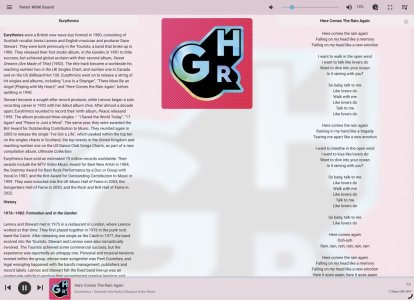
Using LMS, I do get the exact screen that you posted, but I have not yet tied my Ultras to Lyrion, I was hoping to find a decent stream using the Wiim app

I searched for "Lyrion Music Server" in Google Playstore on my Android phone, it lists it but does not show any actual LMS app. Plenty of other options but none of them are LMS? If I can find one, I will then tie the Ultras to LMS as there is a far wider choice of IR stations in LMS. The one I did download - but have since uninstalled - was the first option I found in the Playstore - Music Maker, MP3 Player - but that has nothing to do with LMS.


I wonder if this is the same.

View attachment 31614

Yes, that appears to be the stream that I am on. But again, in LMS and not (yet) tied to the Ultras.


-Eric
 
Using LMS, I do get the exact screen that you posted, but I have not yet tied my Ultras to Lyrion, I was hoping to find a decent stream using the Wiim app

I searched for "Lyrion Music Server" in Google Playstore on my Android phone, it lists it but does not show any actual LMS app. Plenty of other options but none of them are LMS? If I can find one, I will then tie the Ultras to LMS as there is a far wider choice of IR stations in LMS. The one I did download - but have since uninstalled - was the first option I found in the Playstore - Music Maker, MP3 Player - but that has nothing to do with LMS.


Yes, that appears to be the stream that I am on. But again, in LMS and not (yet) tied to the Ultras.


-Eric
This is on vTuner in the Ultra.

Re. LMS controller on Android. Do you know this page?

 
Last edited:
Back
Top