WiiM Ultra Firmware v5.2.739061 Update - Dec 18, 2025

Please review the WiiM Ultra update release notes below. If you encounter any issues, feel free to reach out to us. This firmware update is being rolled out in stages, with devices updating sequentially over the next few days.

5.2.739061 (In Progress)

Release date:

Dec 18, 2025

Bug Fixes:
  1. Multiroom: Fixed an issue preventing multiroom setup with some routers.
  2. Google Cast: Fixed missing subwoofer bass output and EQ not working.
 
Using LMS, I do get the exact screen that you posted, but I have not yet tied my Ultras to Lyrion, I was hoping to find a decent stream using the Wiim app

I searched for "Lyrion Music Server" in Google Playstore on my Android phone, it lists it but does not show any actual LMS app. Plenty of other options but none of them are LMS? If I can find one, I will then tie the Ultras to LMS as there is a far wider choice of IR stations in LMS. The one I did download - but have since uninstalled - was the first option I found in the Playstore - Music Maker, MP3 Player - but that has nothing to do with LMS.

Sorry, my mistake and poor memory re the Lyrion “app” . You actually need to download and install the apk file from this link https://f-droid.org/packages/com.craigd.lmsmaterial.app/ and it relies on you already having the material skin plugin installed on your LMS server.

Another Android alternative is Squeezer.

If you install either of those, the Ultra will simply appear as another player - I don’t know what you by tying the Ultra to LMS.
 
This is on vTuner in the Ultra.

Re. LMS controller on Android. Do you know this page?

No, thank you for that, I am going to start experimenting with what works best for me.

Sorry, my mistake and poor memory re the Lyrion “app” . You actually need to download and install the apk file from this link https://f-droid.org/packages/com.craigd.lmsmaterial.app/ and it relies on you already having the material skin plugin installed on your LMS server.

Another Android alternative is Squeezer.

If you install either of those, the Ultra will simply appear as another player - I don’t know what you by tying the Ultra to LMS.

I originally used Squeezelite many years ago but dropped it when it deleted my playlist after I added a new IR station. I see it has been updated recently so will give it another go.

Tying the Ultra to LMS: What I meant is that I will use LMS (or Squeezelight) now to control the Ultras as well.

Thank you for all the help guys, appreciated!

-Eric
 
No, thank you for that, I am going to start experimenting with what works best for me.
I think you got me wrong on this one. Lyrion is LMS.
The page gives you an overview of the available controllers for both iOS and Android. Thought this is what you are looking for.
 
I think you got me wrong on this one. Lyrion is LMS.
The page gives you an overview of the available controllers for both iOS and Android. Thought this is what you are looking for.
Yep, apologies if my previous reply was not clear, I meant I was looking for a suitable android controller for my various Wiim & SB streamers. FWIW, they are all running via a RPi 3B.

-Eric
 
Yep, apologies if my previous reply was not clear, I meant I was looking for a suitable android controller for my various Wiim & SB streamers. FWIW, they are all running via a RPi 3B.

-Eric
If you think Material skin is clumsy I don't know what to suggest. What issues do you find with Material skin?
 
I love it on my Desktop PC, but it's awkward to use on the Android phone. In the settings, I selected Android but this makes no difference, it displays the Desktop Material screen. I have used the Default skin display as well, it is easier to utilise than Material on the phone.

And yet I see people recommending Material skin for Android, so clearly I'm missing something?

-Eric
 
I love it on my Desktop PC, but it's awkward to use on the Android phone. In the settings, I selected Android but this makes no difference, it displays the Desktop Material screen. I have used the Default skin display as well, it is easier to utilise than Material on the phone.

And yet I see people recommending Material skin for Android, so clearly I'm missing something?

-Eric
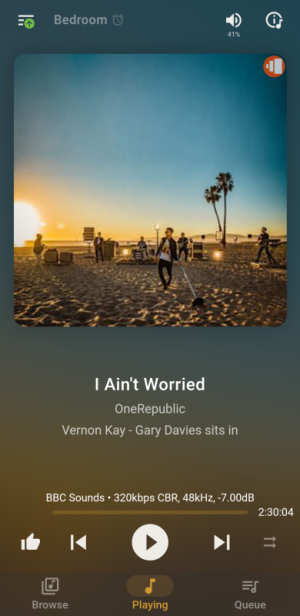
I find the default screen impossible to use on a phone. Material has a mobile/desktop setting under "Interface". I am not sure what you mean by selecting "Android" The "mobile" setting looks like this with three tabs at the bottom for "Browse, "Now Playing" and "Queue".
Screenshot_20251230-172007.png
 
I love it on my Desktop PC, but it's awkward to use on the Android phone. In the settings, I selected Android but this makes no difference, it displays the Desktop Material screen. I have used the Default skin display as well, it is easier to utilise than Material on the phone.

And yet I see people recommending Material skin for Android, so clearly I'm missing something?

-Eric
Get an iPhone and use iPeng. Maybe not an option for you and kinda ridiculous just for a single app.
And yet … Android gives me the creeps.
 
I find the default screen impossible to use on a phone. Material has a mobile/desktop setting under "Interface". I am not sure what you mean by selecting "Android" The "mobile" setting looks like this with three tabs at the bottom for "Browse, "Now Playing" and "Queue".
View attachment 31654
Sorry, I was working from memory. The interface setting is set for "Mobile", not Android.

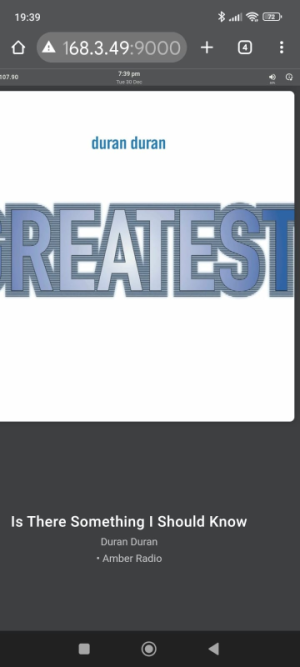
The screen I get is similar to yours but for me to select the streaming device, I have to physically enlarge the screen display, yet your display has decent-sized icons. Once I enlarge the display in order to select hamburger items, the display is massive, hence my previous statement that I find it awkward to work with. Obviously I am missing something here?

The screen shot below is the smallest I can scale to.

1767116649828.png
 
Sorry, I was working from memory. The interface setting is set for "Mobile", not Android.

The screen I get is similar to yours but for me to select the streaming device, I have to physically enlarge the screen display, yet your display has decent-sized icons. Once I enlarge the display in order to select hamburger items, the display is massive, hence my previous statement that I find it awkward to work with. Obviously I am missing something here?

The screen shot below is the smallest I can scale to.

View attachment 31655
Definitely something wrong there. Have you changed any settings from default? Do you have any non default settings for scaling on your phone.
 
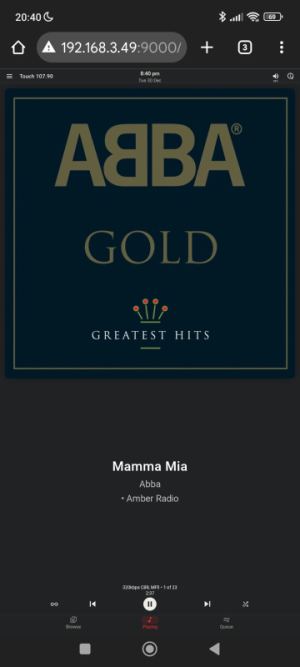
Yea, I was wondering about that too. Text was set to XXL for my convenience, I have reduced it to L for the pic below. At least now the player controls are showing and the artwork fits into the display, unlike my other pic. The Hamburger top left is still very small however.

I'll give it a day or so while I play around with the text size setting and see how all my other apps react. My weary old eyes are not quite what they used to be!

1767120167800.png

-Eric
 
Yea, I was wondering about that too. Text was set to XXL for my convenience, I have reduced it to L for the pic below. At least now the player controls are showing and the artwork fits into the display, unlike my other pic. The Hamburger top left is still very small however.

I'll give it a day or so while I play around with the text size setting and see how all my other apps react. My weary old eyes are not quite what they used to be!

View attachment 31657

-Eric
You also might want to try the LMS APK which replaces the browser.
 
Yea, I was wondering about that too. Text was set to XXL for my convenience, I have reduced it to L for the pic below. At least now the player controls are showing and the artwork fits into the display, unlike my other pic. The Hamburger top left is still very small however.

I'll give it a day or so while I play around with the text size setting and see how all my other apps react. My weary old eyes are not quite what they used to be!

View attachment 31657

-Eric
I'm not sure if this will help you, but if you're using the Chrome browser, it has a zoom feature.

Go to Settings via the three-dot icon in the top-right corner of the browser, then enable Zoom in the Accessibility section. (And turn on the toggle to show Zoom in the menu.)

This zoom setting is saved for each website. You probably won't need to change your phone's display size.
 
You also might want to try the LMS APK which replaces the browser.
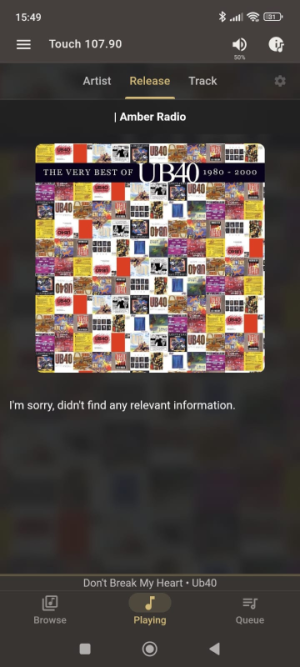
That did it!I'm pretty dumb with all this new-fangled Android stuff, I was raised on Commodore PET32 Basic, then a mighty leap into DOS 3.1, and as soon as I learnt that Bill Gates introduces me to Windows 3(?) and subsequently the mighty Windows 95. Took me a while to find where to find the download...😛

All three Menu options now work perfectly - 'Artist', 'Release' & 'Track'.


1767189030158.png


I'm not sure if this will help you, but if you're using the Chrome browser, it has a zoom feature.

Go to Settings via the three-dot icon in the top-right corner of the browser, then enable Zoom in the Accessibility section. (And turn on the toggle to show Zoom in the menu.)

This zoom setting is saved for each website. You probably won't need to change your phone's display size.

It was Chrome, yes, thank you for this. I wasn't aware of this setting.

Solving an LMS problem won the Wiim forum, who wudda believed it.

Thank you for your help guys, I am 100% happy with the end result!

-Eric
 
Another trick on iPhones (and iPads) is to use Safari pointing to the Lyrion server IP address/port with the material skin flag and in the Safari menu (... at the bottom right on the screen) choose "Share", then "More", then "Add to Home Screen". This creates a Lyrion icon on the phone that when clicked takes you right into the skin.

I prefer the material skin to solutions like iPeng since it has been improved over the years and works well on any device.

Whit
 
Another trick on iPhones (and iPads) is to use Safari pointing to the Lyrion server IP address/port with the material skin flag and in the Safari menu (... at the bottom right on the screen) choose "Share", then "More", then "Add to Home Screen". This creates a Lyrion icon on the phone that when clicked takes you right into the skin.

I prefer the material skin to solutions like iPeng since it has been improved over the years and works well on any device.

Whit
This is how I do it on my devices.
 
That did it!I'm pretty dumb with all this new-fangled Android stuff, I was raised on Commodore PET32 Basic, then a mighty leap into DOS 3.1, and as soon as I learnt that Bill Gates introduces me to Windows 3(?) and subsequently the mighty Windows 95. Took me a while to find where to find the download...😛

All three Menu options now work perfectly - 'Artist', 'Release' & 'Track'.


View attachment 31697


It was Chrome, yes, thank you for this. I wasn't aware of this setting.

Solving an LMS problem won the Wiim forum, who wudda believed it.

Thank you for your help guys, I am 100% happy with the end result!

-Eric

Just a final update on using APK, it works wonders BUT: If you already have the normal Material Skin installed in your phone which defaults to Chrome (in my case), delete the app entirely. Then re-install APK, it sorts things out using hocus-pocus and the MAI info appears as in my pic above.

-Eric
 
I am running two Ultras in the same room and using the same router, one received the latest Firmware Version 5.2.739648 dated 20251224 yesterday, while the other still reports no update available and is running the Firmware 5.2.739061 that was released on December 18th. Exciting times! :)

-Eric

This is totally weird, my second Ultra has not yet received the latest Firmware Version 5.2.739648, dated 20251224. My one Ultra received the update last week Monday 29th December, the other unit still not. I normally receive an update that requests updating both Ultras simultaneously but seems Wiim has forgotten about my second unit. Trying to do so manually results in the message that the Dec 18th firmware is "up to date" but obviously is not. :eek:

Is this update still even available or was it suddenly withdrawn?


-Eric
 
This is totally weird, my second Ultra has not yet received the latest Firmware Version 5.2.739648, dated 20251224. My one Ultra received the update last week Monday 29th December, the other unit still not. I normally receive an update that requests updating both Ultras simultaneously but seems Wiim has forgotten about my second unit. Trying to do so manually results in the message that the Dec 18th firmware is "up to date" but obviously is not. :eek:

Is this update still even available or was it suddenly withdrawn?


-Eric
Try choosing some beta firmware for the Ultra, instal that then leave the beta to see if that triggers an update of the public firmware
 
Back
Top