WiiM Ultra Firmware v5.2.809035 Update - Feb 28, 2026

Please review the WiiM Ultra update release notes below. If you encounter any issues, feel free to reach out to us. This firmware update is being rolled out in stages, with devices updating sequentially over the next few days.

5.2.809035 (In Progress)

Release date:

Feb 28, 2026

Display & UI:
  1. Per-Input Now Playing: Customize the Now Playing screen for each input source.
  2. New Cover Layouts: Added larger album-art views for a more immersive playback screen, with Home and Music Source icons hidden.
  3. Dolby Visuals: VU Meter and Audio Spectrum now work during Dolby playback.
Playback & Audio:
  1. Optical In: Fixed dropouts caused by input stream format changes.
  2. Short-Track Transitions: Improved near-end handling to prevent skipping or audio “leakage.”
  3. Track Skips: Resolved multiple cases of unexpected skipping / premature track changes across services.
Radio & Streaming Services:
  1. Live Metadata: Added ICY support for richer “now playing” info on TuneIn, iHeartRadio, and BBC Radio.
  2. Qobuz: Added Track Radio / Artist Radio / Album Radio.
  3. vTuner: Improved reliability with backup stream URL fallback.
  4. SoundCloud: Added third-party login support.
  5. TuneIn: Fixed alarms occasionally starting late or failing to start playback.
  6. iHeartRadio / Pandora: Fixed intermittent stops and unexpected skipping.
  7. Napster: Fixed My Music playback failures, incorrect station controls, and a disconnect-on-no-internet crash.
  8. Plex: Fixed alarm progress display, station history playback failures, and occasional early skips.
  9. Amazon Music: Fixed interruptions when playing short playlists.
USB & NAS:
  1. USB Notifications: Added connect/disconnect pop-ups.
  2. Faster Browsing: Reduced app timeouts when browsing USB drives.
  3. NAS Playback: Fixed playback and display issues for NAS sources.

 
Last edited:
This thread is a classic illustration of the old saw that when a company (or government or other authority, etc) doesn't tell the public about what's going on, people will speculate and make up their own explanation. That's inevitably worse than what's really happening.
 
Since installing beta firmware 5.2.807549, the EQ no longer works and the subwoofer latency is not saved. Unfortunately, I can't revert to a previous beta or the official firmware. The Ultra keeps reporting that no update is available. Ticket submitted.
 
Since installing beta firmware 5.2.807549, the EQ no longer works and the subwoofer latency is not saved. Unfortunately, I can't revert to a previous beta or the official firmware. The Ultra keeps reporting that no update is available. Ticket submitted.
You can switch to the production firmware. Press the "Firmware Version" on the "Device Info" page in the WiiM Home App.
 
You can switch to the production firmware. Press the "Firmware Version" on the "Device Info" page in the WiiM Home App.
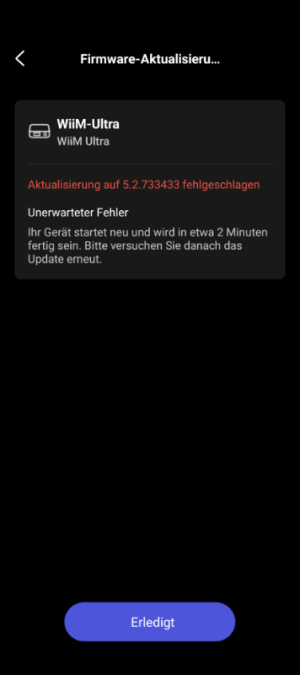
Sadly not, it keeps telling me that there is an Update available but it fails.
 

Attachments

  • Screenshot_20260222-172246.png
    Screenshot_20260222-172246.png
    40.4 KB · Views: 24
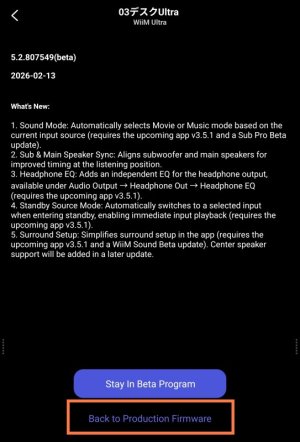
Did you press "Back to Production Firmware" on the beta test screen?

View attachment 34314
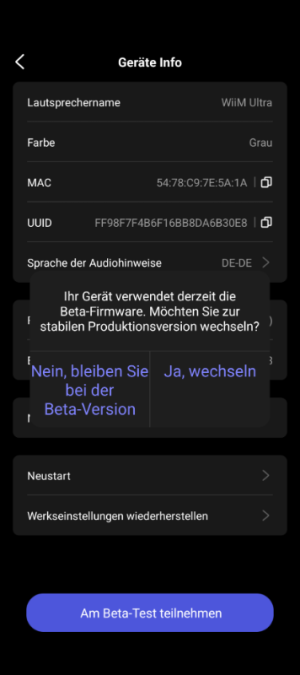
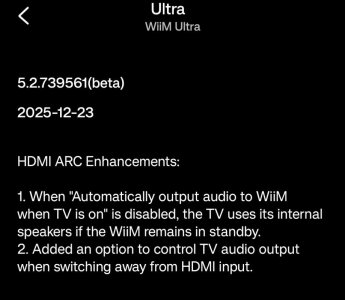
Unfortunately, that option wasn't available. The only way to get everything working again was to reset to factory settings after a cold boot and then put the Ultra back into setup mode (by holding the button down for 3 seconds). Since then, everything has been working again, even with the latest beta firmware. The option to leave the beta channel is also back. However, HDMI ARC is still causing problems for me with the latest official firmware, not so with version 5.2.739561 or the latest Beta. Thanks anyway for your support!
 

Attachments

  • Screenshot_20260223-002810.png
    Screenshot_20260223-002810.png
    65.9 KB · Views: 3
Unfortunately, that option wasn't available. The only way to get everything working again was to reset to factory settings after a cold boot and then put the Ultra back into setup mode (by holding the button down for 3 seconds). Since then, everything has been working again, even with the latest beta firmware. The option to leave the beta channel is also back. However, HDMI ARC is still causing problems for me with the latest official firmware, not so with version 5.2.739561 or the latest Beta. Thanks anyway for your support!
To resolve your ARC issues, please continue using Version 5.2.739561. I think this feature has not yet been added to Version 5.2.807549 or the official firmware.
 
To resolve your ARC issues, please continue using Version 5.2.739561. I think this feature has not yet been added to Version 5.2.807549 or the official firmware.
The latest beta seems to have no ARC issues, at least not for me while yesterdays testing.
 
The latest beta seems to have no ARC issues, at least not for me while yesterdays testing.
Yes it does. The auto-sensing is faulty.
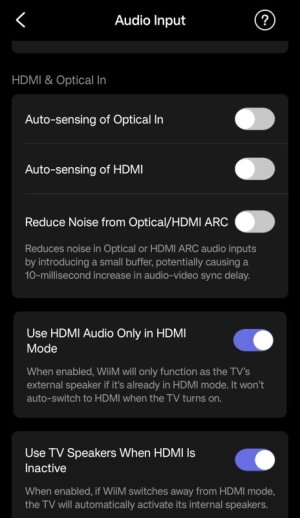
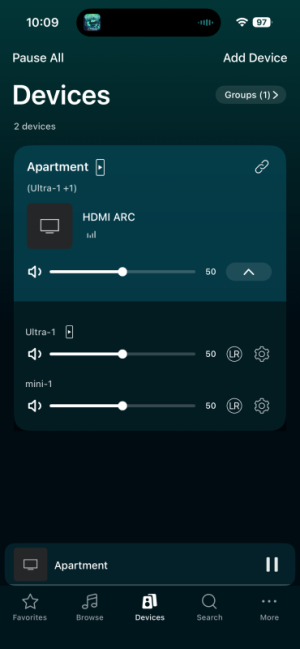
Say your watching TV via HDMI ARC. Then you start a wifi stream. It will switch to that stream. Now you stop the stream. The Ultra will switch its input back to HDMI nominally, but there‘s no sound.
You manually have to toggle inputs to back and fourth in order to actually get the TV sound back.

The still current non-beta does not have this issue.
I‘ve sent a ticket already.
 
Yes it does. The auto-sensing is faulty.
Say your watching TV via HDMI ARC. Then you start a wifi stream. It will switch to that stream. Now you stop the stream. The Ultra will switch its input back to HDMI nominally, but there‘s no sound.
You manually have to toggle inputs to back and fourth in order to actually get the TV sound back.

The still current non-beta does not have this issue.
I‘ve sent a ticket already.
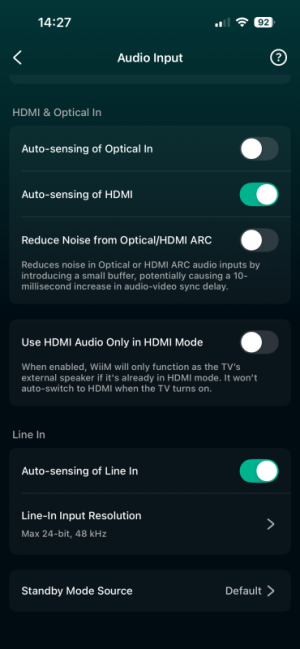
What are your HDMI settings in this case?

Do you have the same with the HDMI Beta Testing firmware?
 
Yes it does. The auto-sensing is faulty.
Say your watching TV via HDMI ARC. Then you start a wifi stream. It will switch to that stream. Now you stop the stream. The Ultra will switch its input back to HDMI nominally, but there‘s no sound.
You manually have to toggle inputs to back and fourth in order to actually get the TV sound back.

The still current non-beta does not have this issue.
I‘ve sent a ticket already.
Yes, I can confirm that, just tested it and switched back to "HDMI Beta". 😉
 
I'll wade into this active thread since its on topic for what I've been playing with since buying a WiiM Ultra on Saturday...

Since installing beta firmware 5.2.807549, the EQ no longer works and the subwoofer latency is not saved. Unfortunately, I can't revert to a previous beta or the official firmware. The Ultra keeps reporting that no update is available. Ticket submitted.

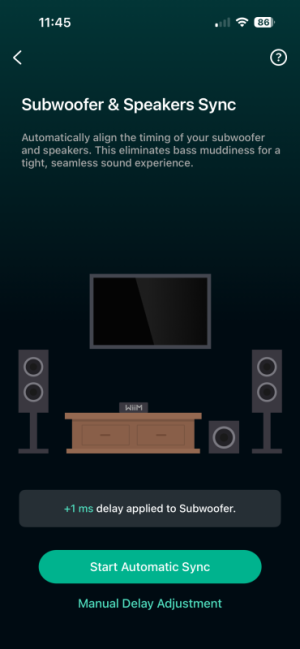
I'm running the same beta firmware and not seeing these issues. I've run the Subwoofer & Speakers Sync, followed by RoomFit with subwoofer options on, and all seems pretty good! After seeing this report, I rebooted the Ultra and looked to see if its subwoofer setting had stuck (by threatening to rerun the S&S Sync), and I saw the 1ms delay that the process had applied previously:

IMG_1280.PNG

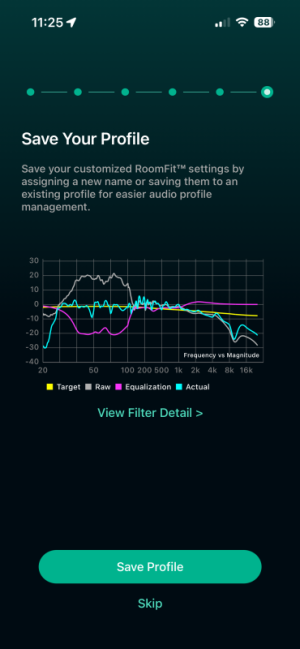
I've been playing around with the roomfit beta MMM and options for Variable and Psychoacoustic smoothing (I prefer the former). When I've applied the RoomFit results, I can hear it's active and working pretty well. The results are very audible in my space, as the Fosi SW10 downfiring subwoofer is about a foot from the corner of a bare concrete floor with the bottom 20 inches of wall being rough painted concrete (a corner of a "Pole Barn"). Basically, a 100% efficient 'bass horn' adding probably 14db or more to the sub's perceived output level. Check out the raw grey line's bass bump, and the corresponding correction applied, after RoomFit with Subwoofer Calibration, Moving Mic Measurement, and Variable Smoothing enabled was run and applied:
IMG_1279.PNG

I've also been playing around with trying to use the ultra as the preamp volume control Master for a WiiM Home Group of two (a WiiM Mini slave upstairs in the loft). Playing with the gain staging of each stereo's DAC output and power amps to achieve a comfortable "50% SPL" with enough headroom to go too loud, the Ultra's HDMI CEC-controlled volume knob controls the whole space nicely (via the knob or the Siri Remote of the ATV4K I have supplying an ARC stream):
IMG_1277 2.PNG

FWIW, the HDMI ARC behavior has been exactly right on my system. Just now while listening to Dark Side of the Moon (familiar music is best while tweaking sound settings ;-), I picked up the Ultra remote and said "play [station] on Pandora". Sure enough, the Ultra switched to WiFi and began playing the station on my speaker Group. Meanwhile, the lossless (Apple Music sourced) DSotM kept playing on the ATV4K... I then paused the ATV4K for a moment, and while Pandora was still playing on the Ultra, I pressed 'Play' on the Siri Remote and the Ultra switched right back to HDMI and my Pink Floyd experience resumed.

Like I said in my first post, so-far-so-good with the WiiM stuff!

-- brian
 
[...]
FWIW, the HDMI ARC behavior has been exactly right on my system. Just now while listening to Dark Side of the Moon (familiar music is best while tweaking sound settings ;-), I picked up the Ultra remote and said "play [station] on Pandora". Sure enough, the Ultra switched to WiFi and began playing the station on my speaker Group. Meanwhile, the lossless (Apple Music sourced) DSotM kept playing on the ATV4K... I then paused the ATV4K for a moment, and while Pandora was still playing on the Ultra, I pressed 'Play' on the Siri Remote and the Ultra switched right back to HDMI and my Pink Floyd experience resumed.
Well, I just tried to repeat this switch from WiFi (listening to an Ultra-initiated stream) back to the HDMI connection by simply starting up some paused music on the Apple TV. The Ultra didn't notice. A change of tracks didn't help. Then, the ultra gave me a hard time trying switch input away from an active stream to HDMI having given up the remote and reached for the touch screen only to get dern confirmtion dialog. Hmmm. I'll revisit later.
 
It's February 24th, and there's still no sign ( 17 days ) of the update announced on February 6th. Once upon a time, seven days passed between the announcement of a FW and its release.
Frankly, I find WiiM's new policy questionable and absurd, and @RyanWithWiiM's nice explanations are useless or make worse what is already questionable.
I don't think it's right to select unsuspecting guinea pigs to see if everything works as it should. They shouldn't be experimenting on my skin without my knowledge.
I'm not speaking for myself. I've been a WiiM user since the Mini came out, and now I have the Pro and Ultra. I'm completely uninterested in the other products WiiM has produced. My use of streamers is really simple: I use them as a means of transport for listening to music. So no subs, speaker arrays, TVs, and so on.
I don't care about the firmware that doesn't arrive; for how I use WiiM, the old firmwares is more than enough.
However, I put myself in the shoes of those who are interested in features that I find useless.
It's really frustrating to see a firmware announcement that brings useful new features and never see it arrive on my device.
WiiM would be better off announcing the firmware when it's actually ready and releasing it within a few days.
If they need guinea pigs, they should ask who's willing to be guinea pigs and then inform only them of the new firmware's features.
This is my opinion.
 
Back
Top