Please review the WiiM Ultra update release notes below. If you encounter any issues, feel free to reach out to us. This firmware update is being rolled out in stages, with devices updating sequentially over the next few days.
Apr 8, 2026
Highlights:
5.2.813259 (In Progress)
Release date:Apr 8, 2026
Highlights:
- Sub & Main Speaker Sync: Automatically aligns subwoofer and main speakers for improved timing at the listening position.
- Per-Input Screen Control: Enable or disable the screen display for each input mode.
- Headphone EQ: Added independent EQ for headphone output optimization.
- Standby Source Mode: Automatically switch to a selected input when entering standby, enabling instant playback.
- Spotify Smart Play: Resume your latest listening session with a single tap.
- Surround Setup: Simplified setup with full backward compatibility. (requires upcoming app update).
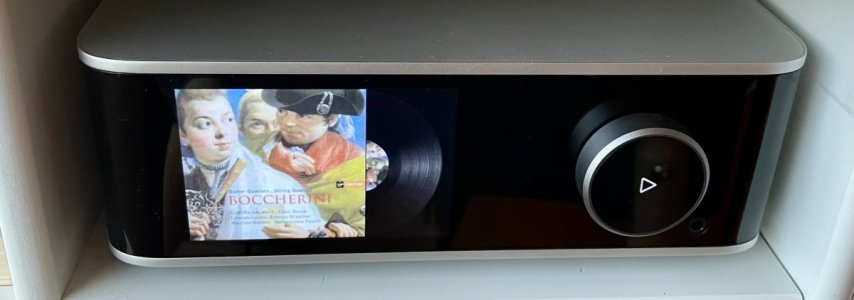
- Playback Screen: Added a vinyl-style playback screen for a more immersive experience.
- Localization: Added French language support.
- Playback Latency: Reduced delay when starting playback.
- EQ: Improved responsiveness when adjusting and switching EQ settings.
- Line In: Fixed distortion during extended playback sessions.
- Bass Output: Fixed low bass levels for Apple TV (Dolby 5.1).
- Audio Sync: Improved sync accuracy at microsecond level for better group playback (requires upcoming app update).
- TIDAL Connect: Upgraded SDK to resolve unexpected playback interruptions.
- Soundtrack: Updated SDK for improved playback stability and performance.
- TuneIn: Fixed playback issues for certain stations and improved resume behavior after long pauses.
- Deezer: Fixed unexpected playback interruptions.
- Wi-Fi: Improved network stability and enhanced compatibility with Wi-Fi 7 routers.
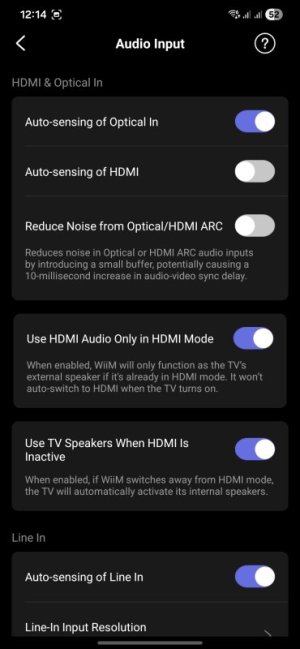
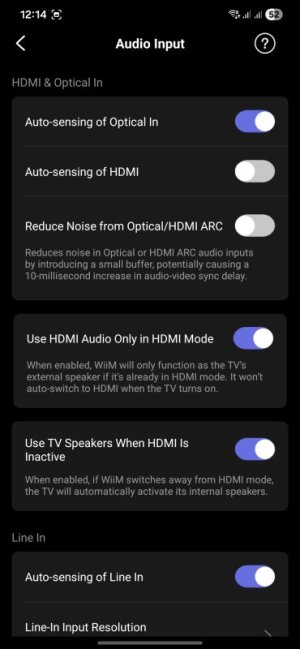
- HDMI ARC: Disabling automatic audio output now correctly keeps WiiM in standby and defaults to the TV speakers.
- HTTP Server: Improved concurrency and stability under high load.
- Audio Input: Fixed playback crash issues.
- Remote: Fixed occasional disconnection and unexpected max volume issues.
- Alarm: Fixed incorrect alarm and preset volume behavior.
- Roon: Fixed occasional crash issues.
- EQ: Enables EQ for Dolby 5.1 playback.
- Alarm: Fixes BBC and vTuner alarms defaulting to the chime.
- Spectrum Display: Improves dynamic visualization.
- Qobuz Connect: Fixed occasional playback stopping issues.
Last edited:



 .
.