Listening from usb stick

tim3838

New member
Joined
Nov 6, 2025
Messages
3
Recently got my Wiim amp and slotted in my usb stick with 500 ish tracks on it .
On playing them back, if I want to skip to the next track it just starts the current song again . Once that song ends it stops playback until I choose another track. It won't continually play my library.
Also, can I shuffle playback once the above problem has been resolved ?
I realise I'm probably being very thick here but would appreciate any help.
Thanks
Tim
 
Thanks for the input everyone. I made a new stick, trimming down to about half my total tunes library. I copied the already ripped tracks off my PC, including the ones that didn't show up on the other stick. They play just fine, all of them. So I have a usable functionality anyway. I think the next thing I'll try is to wipe the stick I was having trouble with, then reload that and see what hilarity ensues.

Either that or I'll just wind up the ole gramaphone. 78s just aren't what they were; just can't get the shellac since the war.
 
Thanks for the input everyone. I made a new stick, trimming down to about half my total tunes library. I copied the already ripped tracks off my PC, including the ones that didn't show up on the other stick. They play just fine, all of them. So I have a usable functionality anyway.
As I wrote before, it's not the number of files or total size of storage causing issues with your WiiM. Just for testing purposes I keep a 1 TB stick with roughly 50 % of its capacity occupied with FLAC files (and a few MP3s). It works flawlessly on my WiiM Ultra, WiiM Amp Pro and WiiM Amp Ultra.

Very often problems can be tracked down to bad or missing ID3 tags, duplicates, extremely messed up directory structures, a massive amount of non-music files mixed in or defective/incompatible memory sticks.

iTunes should do a decent (though not always perfect) job maintaining ID3 tags. Directory structures must be very weird before any problems will occur. The case of incompatible memory sticks should not exist, but unfortunately it does, quality issues are definitely a reality.

Also, the maximum power output of the Ultra's USB port is limited to 1.75 A at the standardised 5 V. This is usually a limitation regarding HDDs, only, not USB key drives.
 
So here's a hopefully yes/no question for you all: Would a USB HDD be better to connect to the WiiM for track storage as opposed to a USB stick? (Assuming the HDD has the ability / connector to be powered by an external 5V PS instead of from the WiiM USB port)
 
So here's a hopefully yes/no question for you all: Would a USB HDD be better to connect to the WiiM for track storage as opposed to a USB stick? (Assuming the HDD has the ability / connector to be powered by an external 5V PS instead of from the WiiM USB port)
Better in what way?

A big HDD will need to be connected via a powered USB hub but a small one may be able to work without additional power. I have a 200GB that works directly connected to my Ultra.

The data provided is of course the same as for a USB stick.
 
Well, phrasing it in another way, would there be any advantage or reason to choose a HDD over a stick for this purpose?

Nope, although USB HDD means you have tons of storage.

tbh though I'd only use the USB for OTG music playback, for another "serious" you'd have a music server.

The scanner on the Wiim is basic compared to dedicated servers/apps, like LMS, Roon etc
 
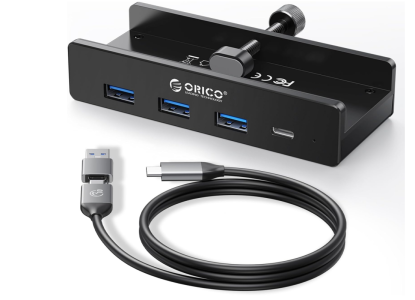
@IjustwannaplayUSBstix ... perhaps you could use a neat usb hub extension making for easier access, then group your music into genres, artists whatever for multiple 'sticks' ensuring you create good file structures on each .. a kind of 'stick' library . Not sure if the wiim would be happy with more than one 'stick' inserted at once ..:unsure:
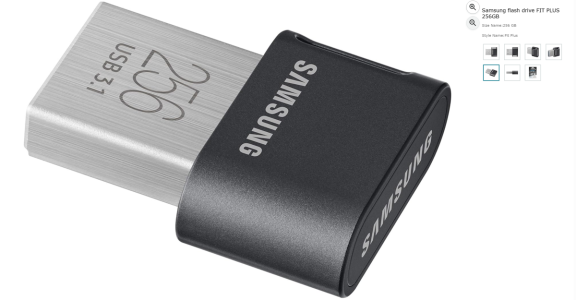
Personally i use usb stubby memory and not the 'pendrives', my car has sd card reader and usb input for the onboard audio system so taking your favs with you is easy .. and not as cumbersome as o box of 78's or 8-tracks :ROFLMAO:

1769280845681.png


1769280809091.png

1769280557304.png
 
Last edited:
@IjustwannaplayUSBstix ... perhaps you could use a neat usb hub extension making for easier access, then group your music into genres, artists whatever for multiple 'sticks' ensuring you create good file structures on each .. a kind of 'stick' library . Not sure if the wiim would be happy with more than one 'stick' inserted at once ..:unsure:
Personally i use usb stubby memory and not the 'pendrives'

View attachment 32984


View attachment 32983

View attachment 32982

Just use raspberry pi as server and it works brilliantly.

£50-£100 job done
 
One thing I found out is that not all USB sticks are created equal. I bought a cheaper stick on the Zon and found out the hard way. Write errors and just a complete failure dealing with a large number of files.

I couldn't bother with such nonsense as soon as that sort of thing happens if install server on a Nas, or pc, then look at dedicated option.

I'd only use the usb for quick storage..but even then just using the Nas and browsing by folder is just as quick if not quicker as no need to transfer to usb stick remove and fit to the ultra .

Brother has had issues with usb hdd on his ultra like it disappearing, slow rescan etc. power saving seems to cause a issue.

When you spend £££££ on audio gear another £100 or so on dedicated item that just works isn't an issue.
 
Just today, I tested my Raspberry Pi with the Moode Audio system installed. I used the Raspberry as a DLNA server with a connected 2TB hard drive. This solution worked great. I recommend it.
 
@IjustwannaplayUSBstix ... perhaps you could use a neat usb hub extension making for easier access, then group your music into genres, artists whatever for multiple 'sticks' ensuring you create good file structures on each .. a kind of 'stick' library . Not sure if the wiim would be happy with more than one 'stick' inserted at once ..:unsure:
Personally i use usb stubby memory and not the 'pendrives', my car has sd card reader and usb input for the onboard audio system so taking your favs with you is easy .. and not as cumbersome as o box of 78's or 8-tracks :ROFLMAO:

View attachment 32984


View attachment 32983

View attachment 32982

The WiiM device will only be able to see one usb drive in such a hub, so I wouldn’t waste time trying with any of those
 
The WiiM device will only be able to see one usb drive in such a hub, so I wouldn’t waste time trying with any of those
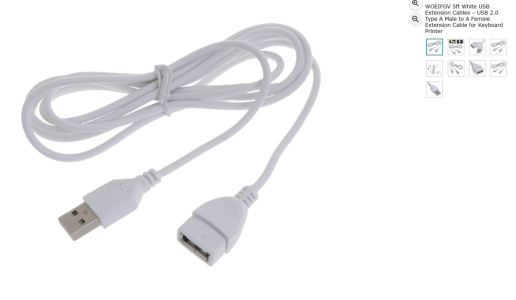
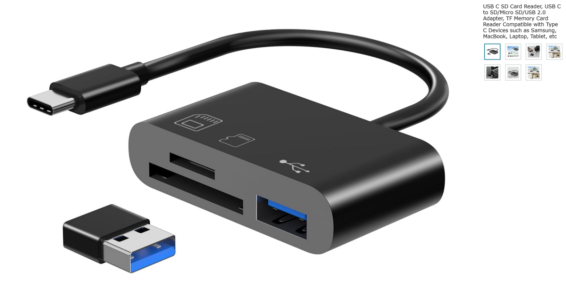
The whole idea is to extend the wiim usb socket to a more accessible place, the multi socket hubs tend to come with a way to fix them to a cabinet or desk. Using an extension with a single socket would also take strain off of the wiim socket plus allow easier access if your wiim is in a cabinet or you just dont want to keep fumbling around to find the onboard socket.
You could just use something as simple as this one below and find your own way to securely fix it or just leave laying on top.
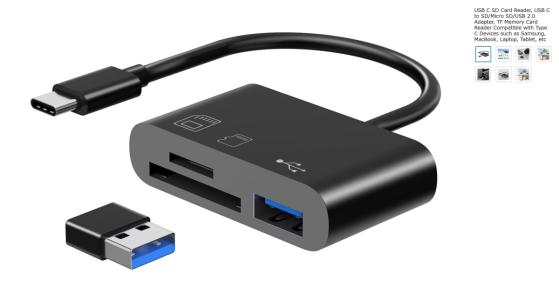
The lower one i posteed before gives you the option to use 'either' a usb drive, sd card or micro sd card ..

1769328953420.png


1769329213617.png
 
I couldn't bother with such nonsense as soon as that sort of thing happens if install server on a Nas, or pc, then look at dedicated option.

I'd only use the usb for quick storage..but even then just using the Nas and browsing by folder is just as quick if not quicker as no need to transfer to usb stick remove and fit to the ultra .

Brother has had issues with usb hdd on his ultra like it disappearing, slow rescan etc. power saving seems to cause a issue.

When you spend £££££ on audio gear another £100 or so on dedicated item that just works isn't an issue.

I'm guessing wiim decided to put this 'nonsense' on there to give people options to directly read hi res files. The 'nas' and 'pi' solutions are great and offer more options, but some of us just like to keep things simple. As i said i can just unplug a 256gb usb drive with 'flac' files and plug&play into my car which also plays 'flac' files, 100s of hi res tracks this on a tiny little drive, no additional 'pi' or 'nas' required.
I have my pc set to share a music folder over my network which seems to work fine 'most' of the time, again each to their own choice, but also be open to an alternate solution. :)
 
Back
Top