Sub Pro Volume Level Question

I’m just testing the toggle again, and the difference is like night and day. If in any doubt, I would suggest placing your hand in the Sub Pro slot, and touching the rubber surround of the driver and turning the toggle on and off.

That’s what I did to confirm the On/Off didn’t change anything. I’ll do the factory reset tonight or tomorrow and report back.
 
This thread is well worth reading, and mentions the differences in subwoofer settings available when paired, or not paired.

 
If you chose 'Wired' during the pairing process, how can your Sub Pro also be paired via Wi-Fi? I believe those connections are mutually exclusive?
In the app it shows the option to "unpair" the sub even though my connection is wired. If I unpair it, the wired connection is removed.
I think it's the terminology used giving the impression that it is paired wirelessly. Paired seems to mean connected wired or wirelessly.
 
Last edited:
In the app it show the option to "unpair" the sub even though my connection is wired. If I unpair it, the wired connection is removed.
I think it's the terminology used giving the impression that it is paired wirelessly. Paired seems to mean connected wired or wirelessly.
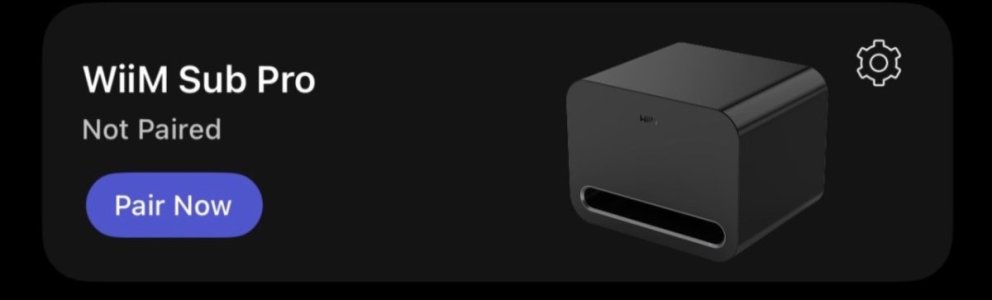
If I unpair mine, it is still connected by cable, and still works the same, but more options are available in the Subwoofer settings in the WiiM Home App.

In addition, I now get the annoying pop up notification to pair my Sub Pro.

IMG_0006.jpeg
 
The "Move Sub" page under the WiiM Sub Pro Device Settings should allow you to switch between a wired connection and a wireless connection to the same device (or connect it to a different device).

At least, that's what the manual says. :)
 
The "Move Sub" page under the WiiM Sub Pro Device Settings should allow you to switch between a wired connection and a wireless connection to the same device (or connect it to a different device).

At least, that's what the manual says. :)
Well, not exactly - if I have the sub pro connected to the WiiM Mini and I move it to the Ultra, I’m given the option of choosing a wired or wireless connection. If I then try to move it from the Ultra, it asks if I want to unpair it first before giving me those two options again. After that you’ll have a wireless and wired usb option in the Ultra’s settings and worryingly it allows you to switch both modes on… I think this falls into the “don’t try this at home kids” category ;)
 
Update as promised: after a factory reset and doing the pairing procedure again ("Wired") in the Wiim Home app, the On/Off toggle works again.
 
Back
Top