Dear all,
first post and I´m afraid I need your expertise.
Before I describe my problem I`ll share my setup.
Ultra => [line out] E3 Audio A7 => KEF R3
Ultra => [sub out ]=> [LFE] SVS SB 1000 Pro
Ultra => [HDMI Arc] Samsung TV (will be controlled by the "Nvidia Shield Pro" remote as Shield is connected to the TV)
Volume at the A7 is set to "bypass".
Yesterday I performed a RoomFit measurement with Manual Delay Adjustment ("Main speakers" set to 11ms) and the following settings (most of the settings are based on the recommendations I have found in this forum):
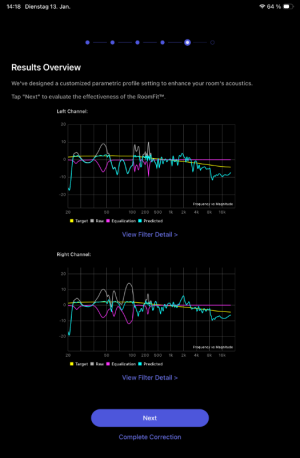
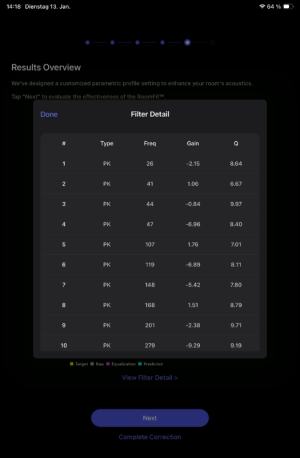
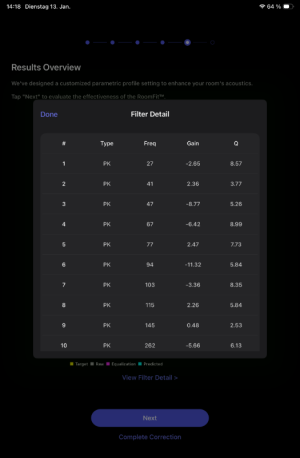
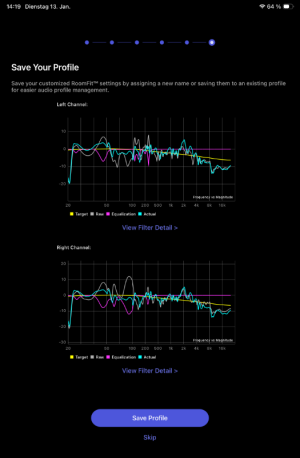
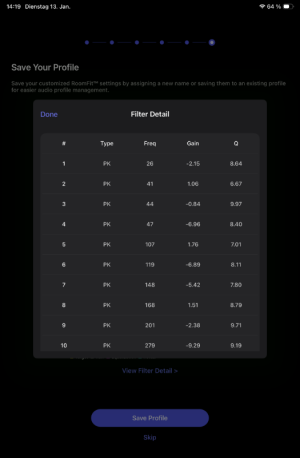
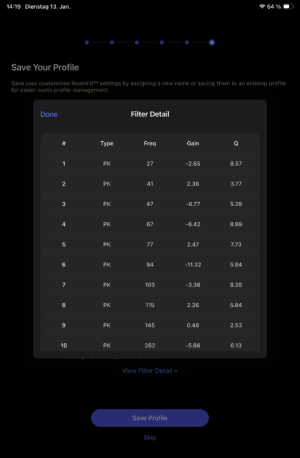
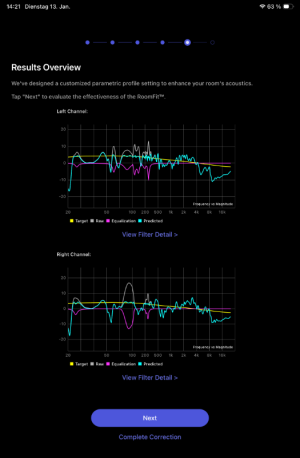
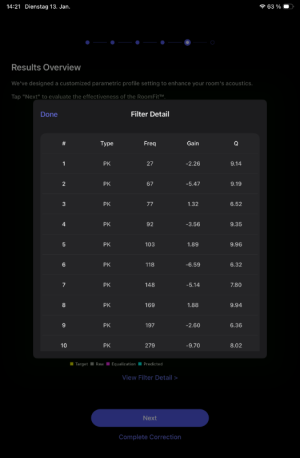
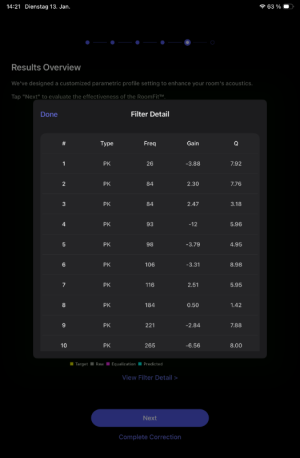
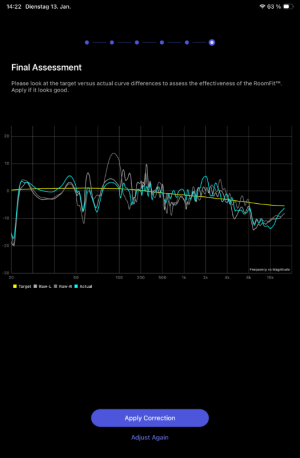
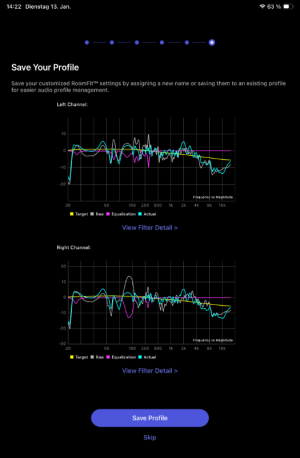
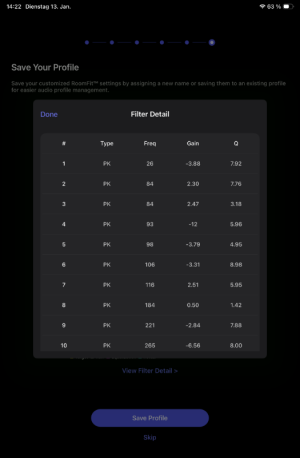
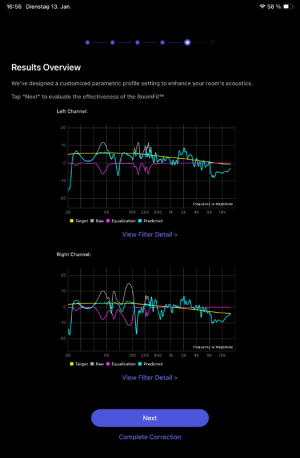
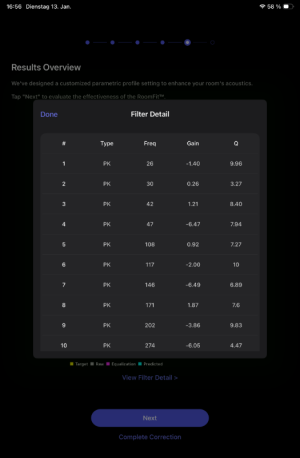
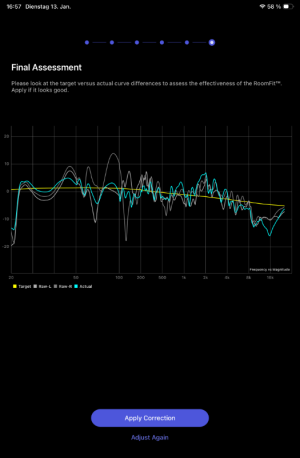
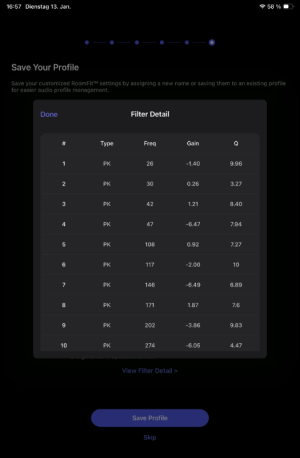
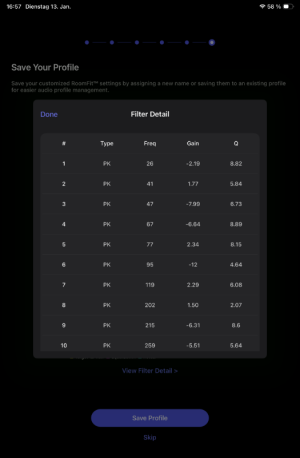
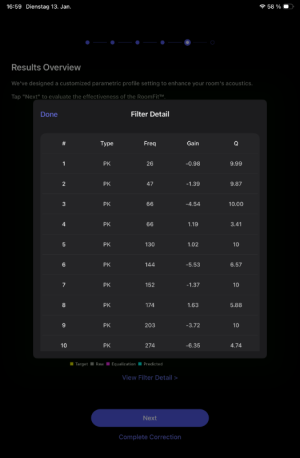
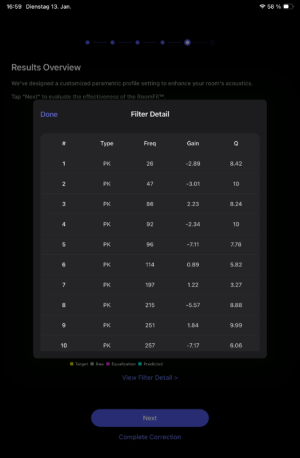
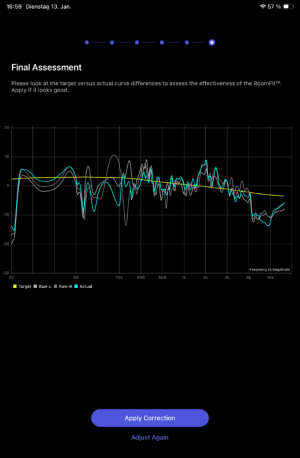
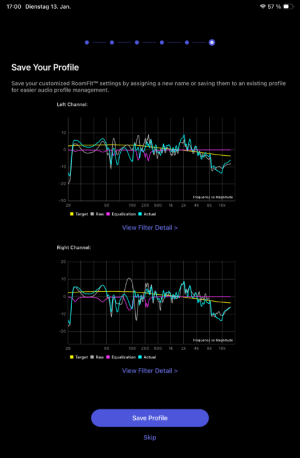
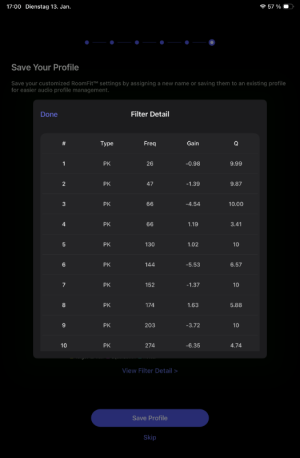
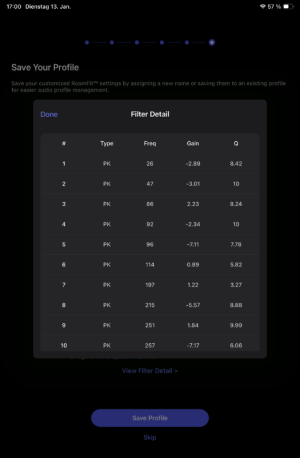
For the measurement I used my iPad mini (2021). Here are the results:
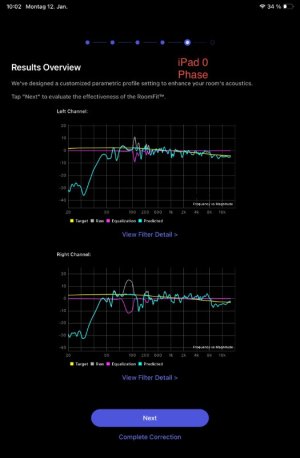
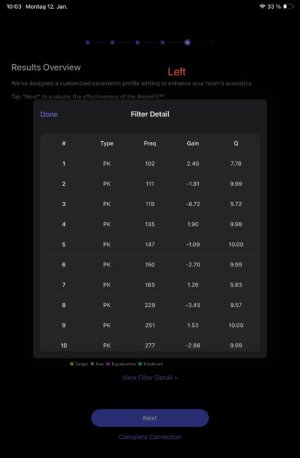
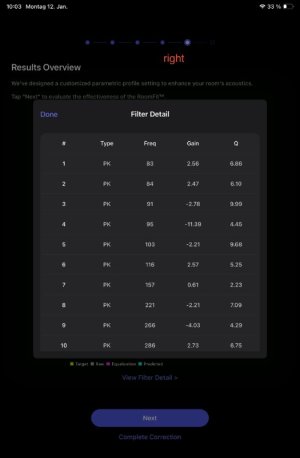
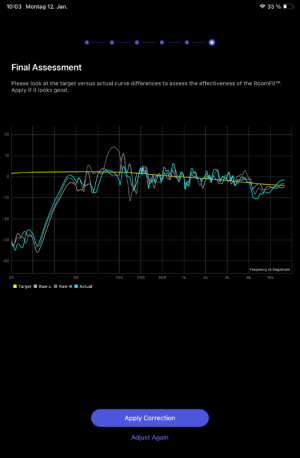
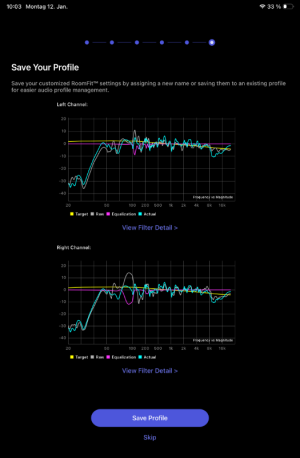
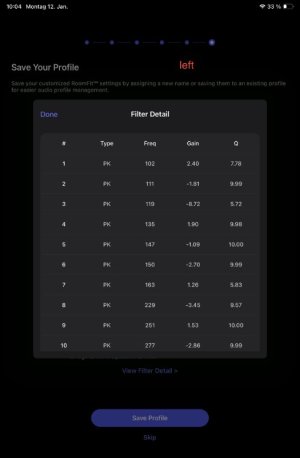
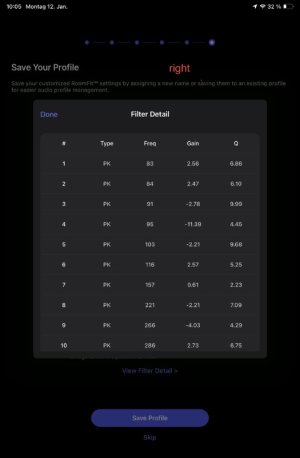
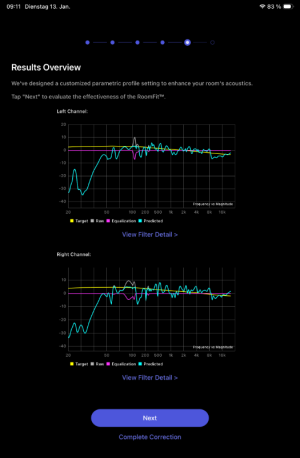
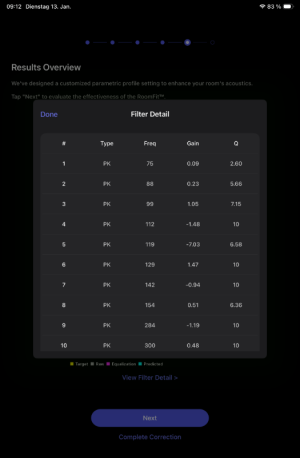
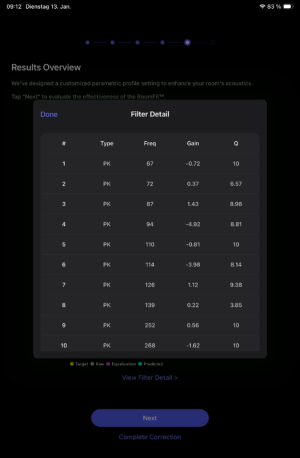
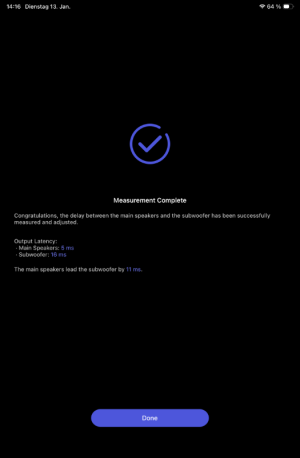
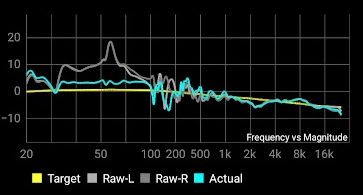
Not sure but I assume the curve between 20-33Hz doesn´t look right. Hence I wanted to give the "Automatic sync" a try before I ran another RoomFit attempt. But after disabling RoomFit and starting the "automatic sync" process no final measurement values were shown:

I tried again with various volume settings at the Ultra (50, 55), changed the Crossover Frequency to 90Hz and retested the Automatic sync (also with my iPhone 12mini ......error screenshot is btw from the iPhone).
Sounds are audible (and definitely loud enough) but unfortunately not with an happy ending.... error message was still shown in all further attempts.
Hence I´m not sure what do (switching off/on the sub was not successful).
I haven´t tried switching off/on the Ultra and the A7 yet.
FW is the latest from Dec 18,2025; iPhone/iPad app is also up to date.
Any feedback would really be appreciated.
Thanks in advance.
first post and I´m afraid I need your expertise.
Before I describe my problem I`ll share my setup.
Ultra => [line out] E3 Audio A7 => KEF R3
Ultra => [sub out ]=> [LFE] SVS SB 1000 Pro
Ultra => [HDMI Arc] Samsung TV (will be controlled by the "Nvidia Shield Pro" remote as Shield is connected to the TV)
Volume at the A7 is set to "bypass".
Yesterday I performed a RoomFit measurement with Manual Delay Adjustment ("Main speakers" set to 11ms) and the following settings (most of the settings are based on the recommendations I have found in this forum):
- Audio Settings:
- Fixed Volume output: off
- Line Out Level: 2 Arms
- Volume Limit: 85%
- Fade-In & Fade-Out Effects: on
- Subwoofer settings:
- Sub Out: on
- Level: 0db
- Volume in SVS App: -20db
- Crossover Frequency: 80Hz
- Phase: 0
- Main Speaker Output Latency: 11ms
- Subwoofer bypass Mode: off
- Main Speakers Output Bass: off
- Room Fit settings:
- Target Curve: B&K
- Frequency: 20Hz-300Hz
- Max Gain: +12dB
- Min Gain: -12dB
- Max Q: 10
- Non-Boost Mode: on
- Build-in Mic Compensation: on
- Subwoofer Calibration: on
- Moving Mic Measurement: off
- Smoothing: 1/12 Octave
- Multiple Measurements: off
For the measurement I used my iPad mini (2021). Here are the results:
Not sure but I assume the curve between 20-33Hz doesn´t look right. Hence I wanted to give the "Automatic sync" a try before I ran another RoomFit attempt. But after disabling RoomFit and starting the "automatic sync" process no final measurement values were shown:
I tried again with various volume settings at the Ultra (50, 55), changed the Crossover Frequency to 90Hz and retested the Automatic sync (also with my iPhone 12mini ......error screenshot is btw from the iPhone).
Sounds are audible (and definitely loud enough) but unfortunately not with an happy ending.... error message was still shown in all further attempts.
Hence I´m not sure what do (switching off/on the sub was not successful).
I haven´t tried switching off/on the Ultra and the A7 yet.
FW is the latest from Dec 18,2025; iPhone/iPad app is also up to date.
Any feedback would really be appreciated.
Thanks in advance.



 ):
):