Please review the app update release notes below. If you encounter any issues, feel free to reach out to us.
App Version:
3.4.12
Beta Features
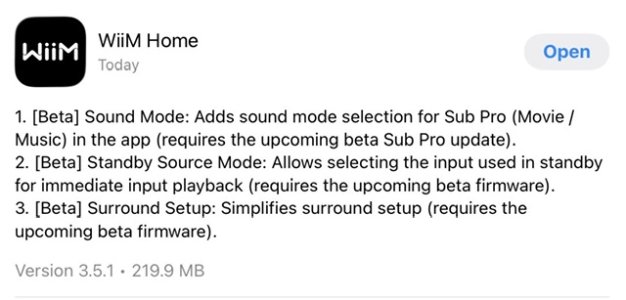
1. Sync Main Speakers & Sub: Align main speakers and subwoofer for the listening position using the phone’s microphone (requires an upcoming beta firmware update).
2. Standby Source Mode: Automatically switch to a selected input source when the device enters Standby (requires an upcoming beta firmware update).
Note: The WiiM Ultra beta firmware (v5.2.807549) is now available.
Improvements
1. Qobuz Radio: Added support for Artist, Album, and Track Radio (requires an upcoming firmware update).
2. Room Correction: Added Variable, Psychoacoustic, and ERB smoothing options.
3. OOBE: Improved Wi-Fi setup stability.
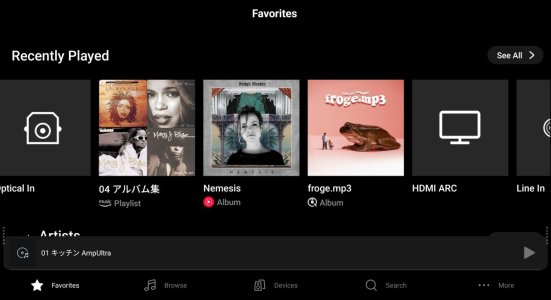
4. Screen: Added per-input playback screen customization (requires an upcoming firmware update).
Bug Fixes
1. Plex: Fixed a bitrate downsampling issue.
2. NAS: Fixed local playlist playback failures and resolved Synology indexing issues on certain models.
3. [Android] Fixed a crash caused by oversized images.
App Version:
3.4.12
Beta Features
1. Sync Main Speakers & Sub: Align main speakers and subwoofer for the listening position using the phone’s microphone (requires an upcoming beta firmware update).
2. Standby Source Mode: Automatically switch to a selected input source when the device enters Standby (requires an upcoming beta firmware update).
Note: The WiiM Ultra beta firmware (v5.2.807549) is now available.
Improvements
1. Qobuz Radio: Added support for Artist, Album, and Track Radio (requires an upcoming firmware update).
2. Room Correction: Added Variable, Psychoacoustic, and ERB smoothing options.
3. OOBE: Improved Wi-Fi setup stability.
4. Screen: Added per-input playback screen customization (requires an upcoming firmware update).
Bug Fixes
1. Plex: Fixed a bitrate downsampling issue.
2. NAS: Fixed local playlist playback failures and resolved Synology indexing issues on certain models.
3. [Android] Fixed a crash caused by oversized images.
Last edited: